One workspace for your tasks, notes, and AI teammates. Taskade is an AI-powered productivity platform that combines project management, real-time collaboration, and custom AI agents — so small teams can plan, write, and automate their work in a single place instead of juggling five different apps.
What is Taskade?
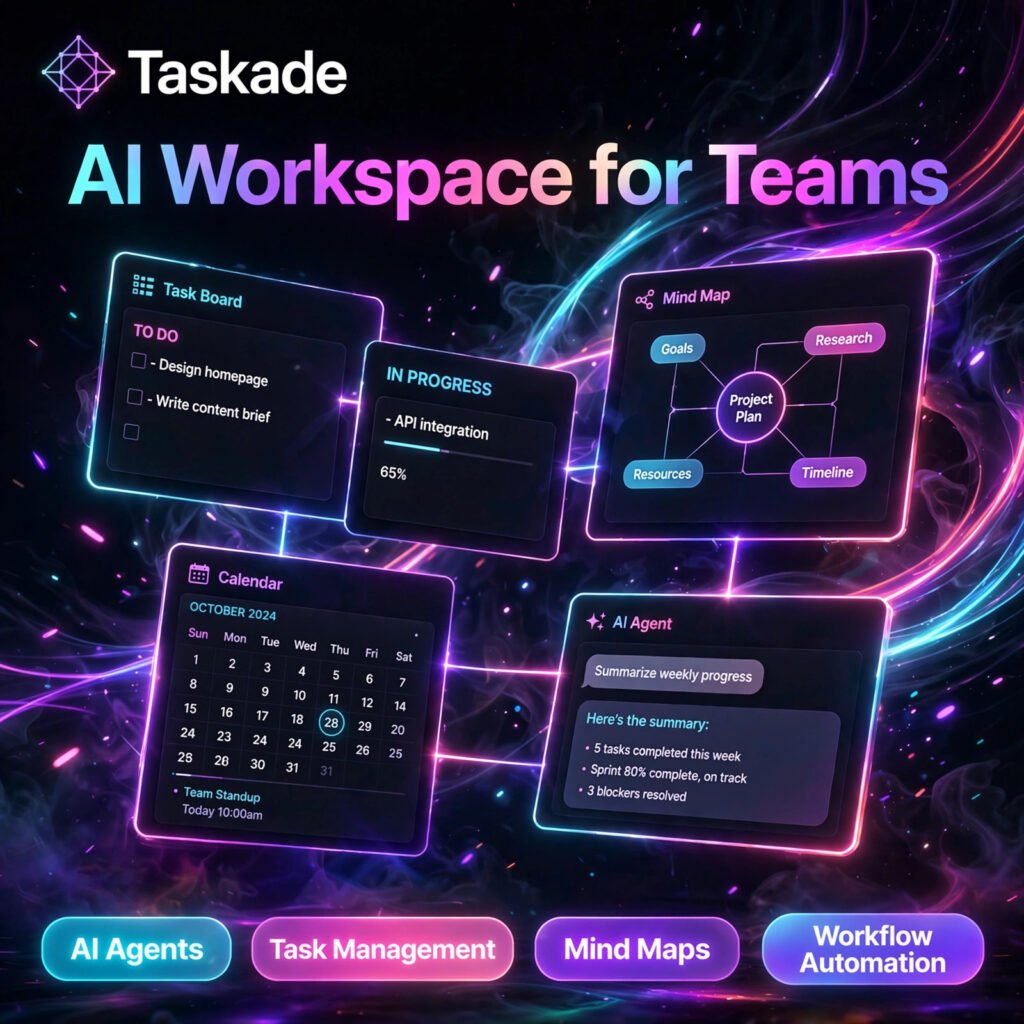
Taskade started as a simple collaborative task list and has grown into a full AI workspace. Every project can be viewed as a list, a kanban board, a calendar, a table, or a mind map, and all views stay in sync because they are built on the same underlying outline.
What makes Taskade different from a traditional project manager like Notion AI is its AI layer. You can build custom AI agents trained on your own documents and projects, and let them draft content, summarise notes, and break big goals into actionable sub-tasks — inside the workspace where the work already lives.
Key Features of Taskade
Here are the standout features that make Taskade worth trying:
- Custom AI Agents: Build AI agents with their own instructions and knowledge, train them on your files and projects, and chat with them like knowledgeable teammates.
- Multiple Project Views: Switch any project between list, board, calendar, table, mind map, and org chart views without duplicating data.
- AI Writing and Chat Assistant: Generate outlines, expand rough notes into structured tasks, rewrite text, and summarise long documents in seconds.
- Workflow Automations: Automate recurring work such as task assignments, reminders, and status updates, and connect workflows to outside apps.
- Real-Time Collaboration: Edit projects together live, with built-in chat and video calls, comments, and instant sync across devices.
- 100+ Integrations: Connect tools like Google Drive, Slack, and Gmail, and extend automations further with tools such as Zapier.
- Templates and AI Apps: Start fast with hundreds of community templates, or turn a project into a shareable AI-powered app.
How to Use Taskade
Getting started takes just a few minutes:
- Create a free account: Sign up at taskade.com and create your first workspace.
- Start a project: Begin from scratch, pick a template, or ask the AI to generate a project outline from a one-line goal.
- Pick your view: Work in list view for focus, board view for stages, or mind map view for brainstorming.
- Build an AI agent: Create a custom agent, give it instructions, and upload documents or link projects so it learns your context.
- Automate the busywork: Set up automations for recurring tasks, due-date reminders, and hand-offs between teammates.
- Invite your team: Share the workspace so everyone can edit, comment, and chat in real time.
Pro tip: Give your AI agent a narrow job, such as “turn meeting notes into assigned tasks with deadlines” — focused agents produce far better results, much like a precise prompt in ChatGPT.
Taskade Pricing Plans
Taskade follows a freemium model, so you can start free and upgrade as your AI usage grows:
- Free – $0: Core task management, multiple project views, basic AI assistance with monthly credits, and the ability to deploy a small number of AI apps.
- Starter – around $6/month: More AI credits, unlimited apps and workspaces, and frontier AI models for individuals and very small teams.
- Pro – around $16/user/month: Unlimited AI agents and automations, training agents on your data, all integrations, and generous monthly AI credits.
- Business – around $40/user/month: Everything in Pro plus advanced analytics, multi-agent workflows, white-label branding, and custom domains.
- Enterprise – Custom: SSO and SAML, custom AI deployment, and dedicated support for large organisations.
Pricing and credit limits can change, so check the official pricing page before subscribing. For most individuals, the free plan is a useful way to test the AI workspace first.
Pros and Cons of Taskade
Pros:
- Tasks, notes, mind maps, chat, and AI agents combined in one workspace
- Custom AI agents can be trained on your own project knowledge
- Generous free plan with unlimited tasks and projects
- Clean, fast interface that is easy for non-technical teammates
- Strong value compared with buying separate AI and project tools
Cons:
- Reporting and analytics are lighter than in enterprise project tools
- Permissions and admin controls are limited on lower plans
- AI features depend on monthly credits, so heavy users need a paid plan
- Less deep customisation than some established competitors
Frequently Asked Questions
Is Taskade free to use?
Yes. Taskade has a free plan with core task management, multiple project views, and basic AI features with monthly credits. Paid plans start at around $6 per month and raise AI limits, credits, and agent features.
What are Taskade AI agents?
AI agents in Taskade are custom assistants you create inside your workspace. You give an agent instructions and knowledge from your documents and projects, and it can answer questions, draft content, summarise notes, and help break goals into tasks.
How is Taskade different from Notion?
Both tools combine notes and projects, but Taskade is built around live task outlines that switch between list, board, calendar, and mind map views, and it puts custom AI agents and automations at the centre. Notion offers deeper database-style customisation for complex wikis.
Can Taskade replace separate project management tools?
For individuals and small teams, often yes. Taskade covers task lists, kanban boards, calendars, mind maps, documents, chat, and video calls in one app. Larger organisations may still want the deeper reporting and permissions of a dedicated enterprise tool.