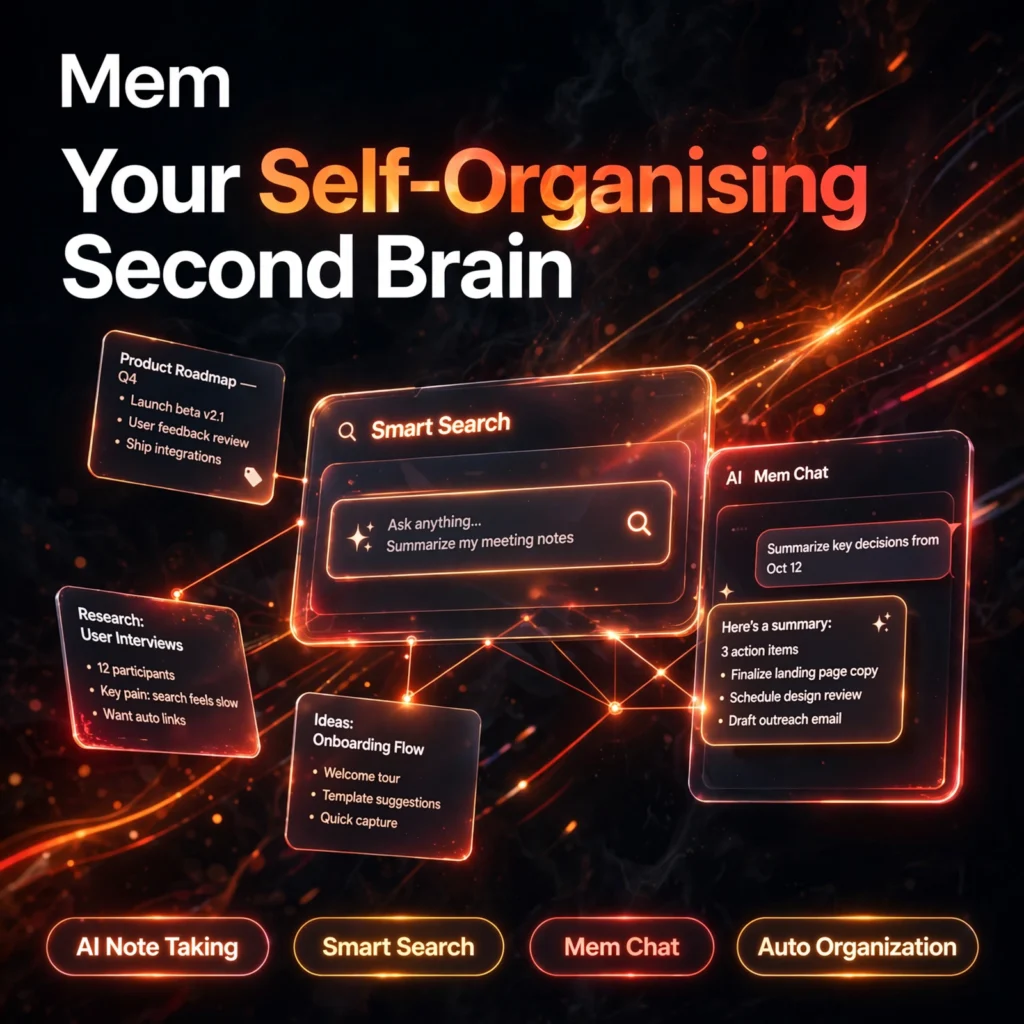
Most notes apps make you do the filing. Mem flips that idea: you capture thoughts into one simple stream, and its AI organises, links, and resurfaces them for you — a self-organising second brain you can search and chat with in plain language.
What is Mem?
Mem is an AI-powered note-taking app built around a simple promise: capture everything, organise nothing by hand. There are no folders to maintain and no tags to apply. Mem’s AI reads what you write, connects related notes automatically, and builds collections for you, so your knowledge base grows without the usual filing overhead.
It takes a different approach from structured workspaces such as Notion AI, which rewards manual setup, or project-focused tools like Taskade. Mem is for people who want to think first and let the software handle the note-taking housekeeping.
Key Features of Mem
Here are the standout features that make Mem different from a traditional notes app:
- Auto Organisation: AI categorises and links related notes automatically — no folders, no manual tagging, no filing system to maintain.
- Mem Chat: An AI assistant that answers questions, summarises, and drafts content using your own notes as its source material.
- Deep Smart Search: Natural-language search that finds notes by meaning, not just keywords — describe what you half-remember and Mem retrieves it.
- Heads Up: While you write, Mem automatically surfaces related notes and past context in a side panel, so relevant ideas appear before you go looking.
- Fast Capture Everywhere: Capture by keyboard, voice mode, Chrome extension, or by forwarding an email to Mem, with apps for web, Mac, Windows, and iOS.
- AI Collections & Templates: AI-curated collections group related work for you, and templates keep recurring notes like meeting notes consistent.
How to Use Mem
Getting started takes only a few minutes:
- Sign up free: Create an account at get.mem.ai — the free plan needs no credit card.
- Capture without organising: Write or dictate notes into the single stream and resist filing them; that is the AI’s job now.
- Let the AI connect things: Watch related notes link up and collections form automatically as your library grows.
- Search by describing: Use Deep Search with a plain-language description instead of exact keywords when you need something back.
- Chat with your notes: Ask Mem Chat to summarise a topic, pull together everything on a project, or draft from your own material.
Pro tip: Capture generously and briefly. Short, frequent notes give Mem’s AI more connection points, which makes Heads Up and search noticeably smarter within a few weeks.
Mem Pricing Plans
Mem is freemium, with a permanent free plan and a simple paid ladder (pricing has moved during 2026, so check the official pricing page before subscribing):
- Mem (Free) – $0: 25 new notes per month and 25 AI chat messages per month, with basic search and note capture — enough to test the self-organising workflow.
- Mem Pro – around $12/month: Unlimited notes and chat, unlimited deep search, unlimited collections and templates, PDF ingestion, connected email, and API access.
- Mem Teams – Custom: Everything in Pro plus shared workspaces, group billing, priority support, and a dedicated success manager for larger organisations.
The free plan is a genuine trial of the concept, but daily note-takers will hit the 25-note cap quickly — Pro is where Mem becomes a full-time second brain.
Pros and Cons of Mem
Pros:
- AI organises and links notes automatically — zero filing or tagging
- Deep Search finds notes from vague, plain-language descriptions
- Mem Chat answers from your own notes, not generic AI output
- Very fast capture via keyboard, voice, extension, and email
Cons:
- Free plan is tight: 25 notes and 25 chat messages per month
- Less manual control if you disagree with the AI’s groupings
- Fewer third-party integrations and weaker project management than larger suites
Frequently Asked Questions
Is Mem free to use?
Yes. Mem’s free plan is permanent and includes 25 new notes and 25 AI chat messages per month with basic search, and no credit card is required. Mem Pro, at around $12/month, removes the caps and unlocks unlimited deep search and chat.
How does Mem organise notes without folders?
Mem’s AI reads the content of each note, detects relationships and topics, and links related notes and builds collections automatically. Instead of filing notes yourself, you capture into one stream and let search, Heads Up, and AI collections resurface things.
What is Mem Chat?
Mem Chat is an AI assistant inside Mem that answers questions, summarises topics, and drafts content using your own notes as its source. Unlike a general chatbot, its answers are grounded in what you have actually captured in your knowledge base.
Which platforms does Mem work on?
Mem is available on the web, Mac, Windows, and iOS, with sync across devices and offline note access that syncs when you reconnect. You can also capture notes through the Chrome extension, voice mode, or by forwarding email to Mem.