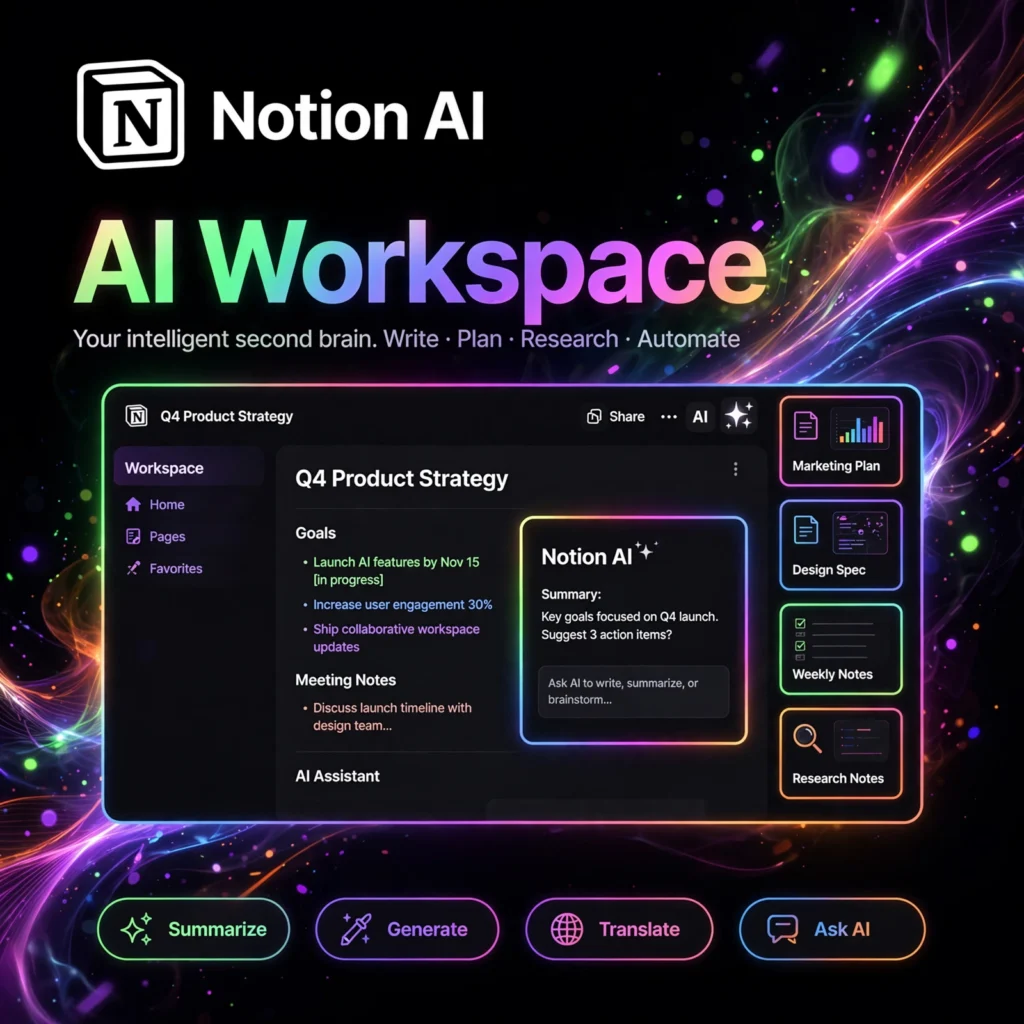
Already organize your life in Notion? Notion AI brings generative AI directly into your workspace — helping you write, summarize, brainstorm, and extract insights from your notes and docs without ever leaving the page you’re working on.
What is Notion AI?
Notion AI is an AI writing assistant built natively into Notion, the popular all-in-one workspace for notes, docs, wikis, and project management. Rather than switching to a separate AI app, you invoke Notion AI right inside any page: highlight text to rewrite or translate it, press space for AI-generated drafts, or ask questions about your workspace content and get answers grounded in your own documents. It can summarize long meeting notes into action items, turn rough bullet points into polished prose, generate tables, brainstorm ideas, and even autofill database properties. Because it lives where your knowledge already lives, Notion AI is uniquely powerful for teams and individuals who want AI assistance with full context of their work — not a disconnected chatbot guessing in the dark.
Key Features of Notion AI
- Writing Assistance: Draft, continue, or rewrite any text — change tone, fix grammar, shorten, or expand with one click.
- AI Summaries: Condense long pages, meeting notes, or research docs into concise summaries and action items.
- Q&A Over Your Workspace: Ask questions and get answers sourced from your Notion pages, wikis, and docs.
- Brainstorming: Generate ideas, outlines, pros-and-cons lists, and creative angles on any topic.
- Translation: Translate selected text into dozens of languages while preserving formatting.
- Database Autofill: Automatically fill database properties — summaries, categories, keywords — across hundreds of rows.
- Custom AI Blocks: Save reusable prompts as building blocks your whole team can use consistently.
How to Use Notion AI
- Open Notion and make sure Notion AI is enabled on your workspace (it’s a paid add-on for most plans).
- On any page, press Space on a new line to open the AI menu — choose “Ask AI to write,” brainstorm, or draft from a prompt.
- Select existing text and click “Ask AI” to rewrite, shorten, expand, change tone, translate, or summarize the selection.
- Use AI in databases: add an “AI custom autofill” property to auto-generate summaries or labels for every row.
- Try workspace Q&A: ask questions like “What did we decide about the launch timeline?” and Notion AI will search your docs for answers.
- Save great prompts as reusable blocks so teammates get consistent, high-quality AI output.
Notion AI Pricing
- Notion Free/Paid Plans: Notion itself has a free tier and affordable Plus/Business plans for the core workspace.
- Notion AI Add-On: AI is a paid add-on charged per member per month on top of your Notion plan, unlocking unlimited AI requests (subject to fair-use limits).
- Business & Enterprise: Larger plans bundle advanced admin controls, SSO, and security features; AI add-on pricing scales per seat.
Unlike standalone AI subscriptions, you’re paying to bring AI into the workspace you already use daily — many teams find the productivity gain easily justifies the per-seat cost.
Pros and Cons of Notion AI
Pros:
- Lives inside Notion — no context switching to another app
- Answers questions using your own workspace knowledge
- Excellent for summarizing notes, docs, and meeting pages
- Database autofill saves hours on repetitive data work
- Simple, intuitive — usable by non-technical teams
- Consistent output via reusable custom AI blocks
Cons:
- Paid add-on on top of Notion subscription — extra cost per member
- Less powerful for long-form creative writing than dedicated AI writers
- AI quality depends on how well-organized your workspace content is
- No offline mode; requires an internet connection
Frequently Asked Questions
Is Notion AI free?
No — Notion AI is a paid add-on charged per member per month on top of your Notion plan. Notion’s core workspace has a free tier, but AI features require the add-on subscription.
Can Notion AI answer questions about my documents?
Yes. One of Notion AI’s standout features is workspace Q&A — it searches your pages, wikis, and docs to answer questions grounded in your own content, with citations to the source pages.
Does Notion AI work in databases?
Yes. You can add AI autofill properties to databases to automatically generate summaries, extract keywords, categorize entries, or translate content across all rows.
Notion AI vs ChatGPT — which should I use?
Use Notion AI when your work lives in Notion and you want AI with context of your docs — summaries, rewrites, and workspace Q&A. Use ChatGPT for open-ended conversations, coding help, and tasks outside your Notion workspace. They complement each other well.