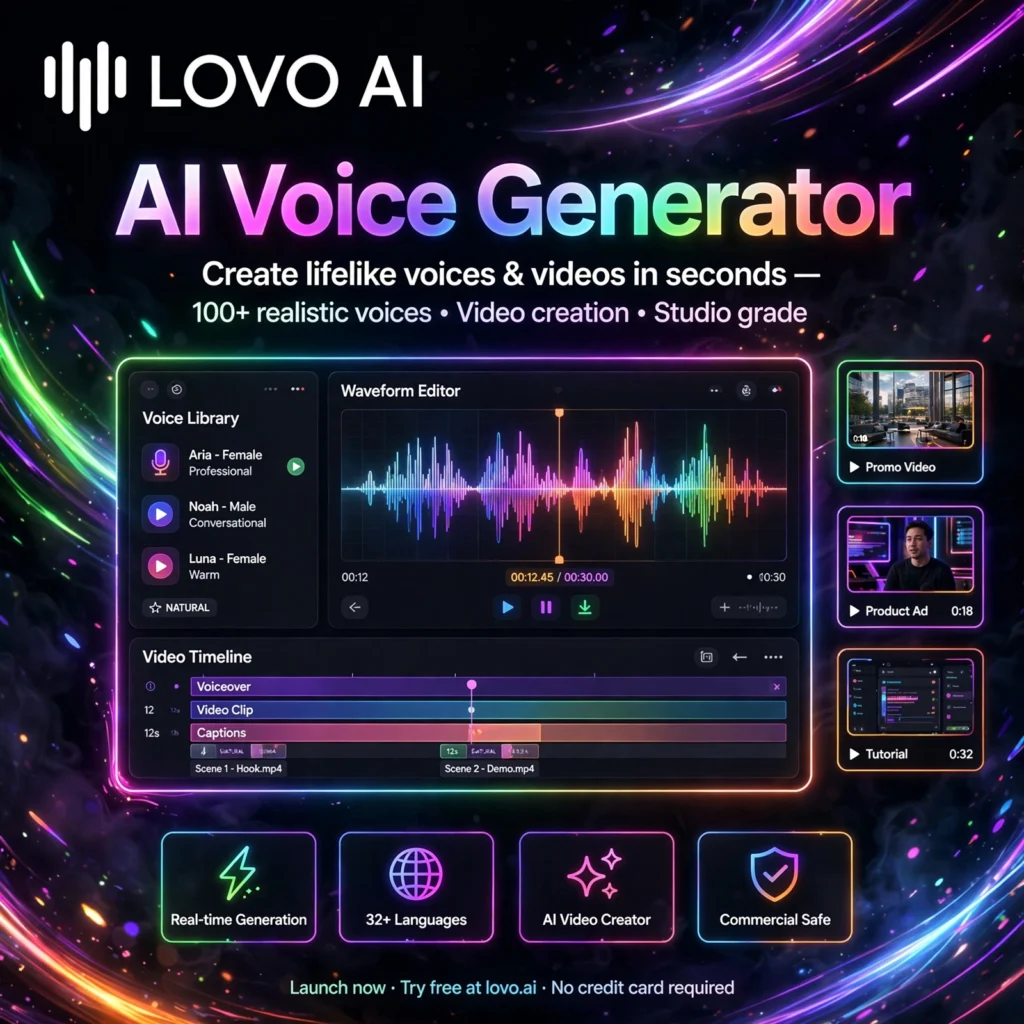
Need studio-quality voiceovers in minutes, without hiring voice actors? LOVO AI — through its all-in-one platform Genny — turns text into realistic speech with 500+ voices in 100+ languages, plus voice cloning, an AI writer, and a built-in video editor for creators, marketers, and educators.
What is LOVO AI?
LOVO AI is an AI voice generator and text-to-speech platform built around its Genny workspace. Unlike basic speech synthesis tools that only output audio, Genny combines voice generation with video editing, subtitles, AI script writing, and AI art in one browser-based studio.
Creators use LOVO for YouTube narration, ads, e-learning courses, audiobooks, podcasts, and social videos. If you have compared tools like ElevenLabs or Murf AI, LOVO stands out for its large multilingual library, emotional voice styles, and the fact that you can finish a complete video — voice, visuals, and captions — without leaving the platform.
Key Features of LOVO AI
Here are the features that make LOVO a complete production tool:
- 500+ AI Voices in 100+ Languages: A huge library of male, female, and character voices with local accents, ideal for global and localised content.
- Voice Cloning: Clone a voice from a short clean recording and generate new scripts in that voice for consistent branding and narration.
- 30+ Emotional Styles: Control emotion, emphasis, speed, pitch, and pauses so delivery sounds excited, calm, serious, or conversational — not flat and robotic.
- Genny Video Editor: Sync voiceovers with video, add background music, and edit audio and visuals together in a simple timeline editor.
- AI Writer & AI Art Generator: Draft scripts with the built-in AI writer and create matching visuals with the AI art generator and stock library.
- Auto Subtitles: Generate subtitles automatically to make videos accessible and boost watch time on social platforms.
- Developer API: Integrate LOVO voices into apps and workflows programmatically, and export finished audio for editing in tools like Descript.
How to Use LOVO AI
Your first voiceover takes only a few minutes:
- Start the free trial: Sign up at lovo.ai and open Genny to begin a new project.
- Write or generate your script: Type or paste your text, or use the AI writer to draft a script from a prompt.
- Pick a voice and language: Browse 500+ voices, preview emotional styles, and choose the voice that fits your project.
- Fine-tune the delivery: Adjust speed, pitch, emphasis, and pauses, and add pronunciation fixes for names and brand terms.
- Add video and subtitles: Use the editor to sync visuals, add background music, and auto-generate subtitles.
- Export and publish: Download the audio or finished video in Full HD and publish it to your channel or client project.
Pro tip: Keep each generation to short paragraphs. Shorter blocks give you finer control over pacing and make it much easier to re-generate a single line later.
LOVO AI Pricing Plans
LOVO offers a free trial and paid plans that scale with generation hours:
- Free Trial – $0: 14-day trial with around 20 minutes of voice generation to test voices and the Genny editor; video exports are watermarked and commercial rights are not included.
- Basic – $24/month (billed annually): 2 hours of voice generation per month, all 500+ voices in 100+ languages, 5 voice clones, auto subtitles, Full HD 1080p export, and commercial rights.
- Pro – $48/month (often $24/month in first-year promotions): 5 hours of voice generation, unlimited voice cloning on this tier in current offers, voice enhancer, priority queue, more storage and projects, and team collaboration.
- Pro+ – $149/month (often $75/month in first-year promotions): 20 hours of voice generation, unlimited projects, 400GB storage, and priority support for agencies and high-volume producers.
- Enterprise – Custom: Custom voices, dedicated account support, enterprise security, SLAs, onboarding, and API support.
Always check the current pricing page before buying, as first-year promotional prices differ from regular renewal prices. For most solo creators, Basic or Pro covers regular weekly publishing.
Pros and Cons of LOVO AI
Pros:
- Large library — 500+ voices across 100+ languages with emotional styles
- All-in-one Genny workspace: voice, video editing, subtitles, AI writer, and AI art
- Voice cloning included on paid plans for consistent personal or brand voices
- Commercial rights included on all paid plans
- Full HD video export without juggling multiple tools
Cons:
- No permanent free plan — only a 14-day trial
- Entry price of $24/month is higher than some voice-only rivals
- Promotional vs regular pricing can be confusing at renewal
- Generation hours do not roll over to the next month
Frequently Asked Questions
Is LOVO AI free to use?
LOVO offers a 14-day free trial with around 20 minutes of voice generation so you can test its 500+ voices and Genny editor. After the trial, paid plans start at $24/month billed annually and include commercial rights.
How many voices and languages does LOVO AI have?
LOVO AI offers more than 500 AI voices in over 100 languages, with 30+ emotional styles covering narration, advertising, e-learning, character, and conversational delivery.
Can I clone my own voice with LOVO AI?
Yes. LOVO includes voice cloning from a short clean audio sample. Basic includes 5 voice clones, while higher plans expand cloning limits, letting you narrate new content in your own or a brand voice.
Can I use LOVO AI commercially?
Yes, all paid LOVO plans include commercial rights, so you can use voiceovers in ads, YouTube videos, e-learning courses, and client projects. The free trial does not include commercial rights.