Europe’s answer to ChatGPT. Mistral AI is the French AI company behind Le Chat (now Mistral Vibe), a fast, privacy-conscious AI assistant built on powerful open-weight models — with web search, image generation and coding help in a generous free plan.
What is Mistral AI?
Mistral AI is a Paris-based artificial intelligence company founded in 2023, known for building efficient, high-performing large language models, many of them released with open weights. Its consumer assistant, originally called Le Chat and rebranded as Mistral Vibe in 2026, runs on Mistral’s own models such as Mistral Large, Medium and Small.
Unlike most rivals, Mistral combines a polished chat app with a full developer platform (La Plateforme / Mistral AI Studio), EU data hosting and GDPR-friendly controls — making it a favourite for users and businesses that want an alternative to US-based assistants like Claude and ChatGPT.
Key Features of Mistral AI
Here are the standout features that make Mistral worth trying:
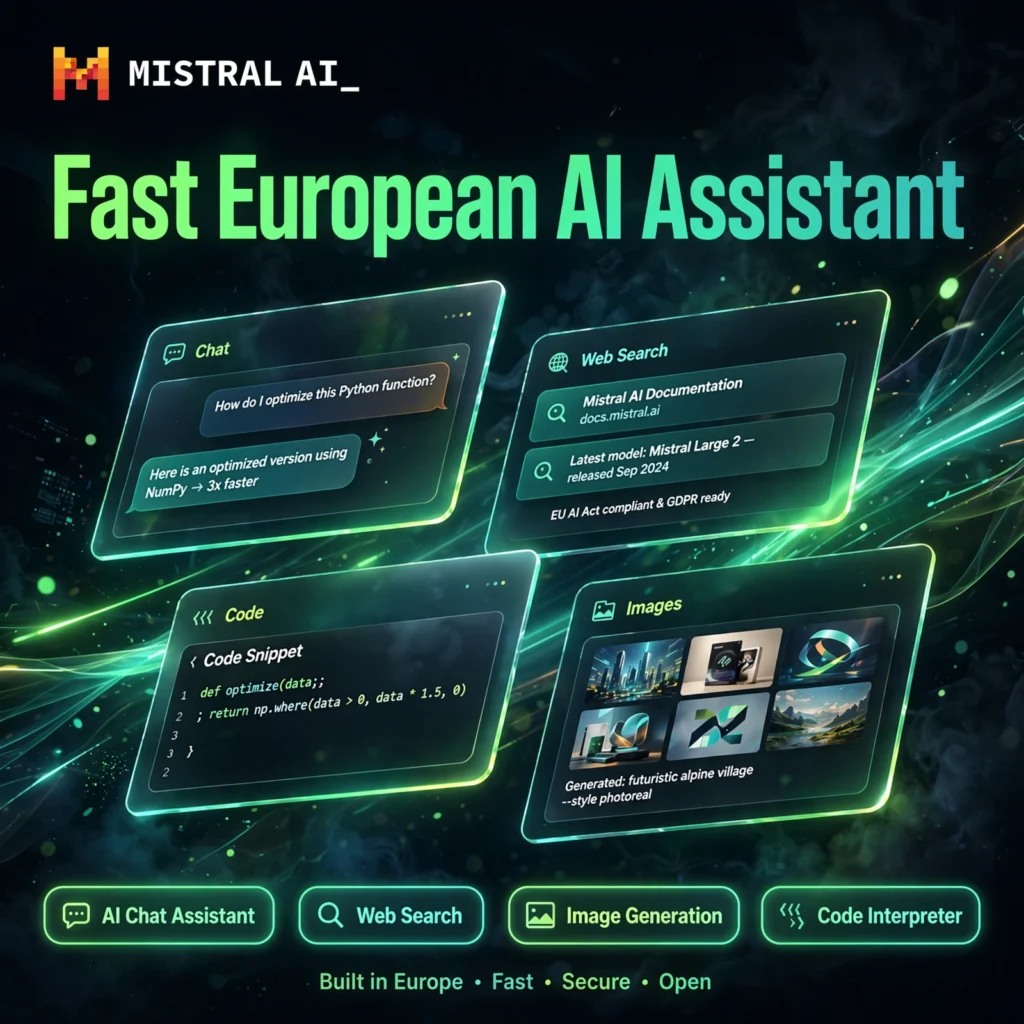
- Fast AI Chat Assistant: Le Chat / Vibe answers questions, writes, summarises and brainstorms using Mistral Large, Medium and Small models, with notably quick Flash Answers for simple queries.
- Web Search with Sources: Real-time web search with inline citations, strengthened by a news partnership with AFP, so answers about current events stay factual and checkable — similar in spirit to Perplexity.
- Canvas Workspace: Create, edit and export documents, briefs and code side-by-side with the chat in a dedicated Canvas editor.
- Image Generation & Understanding: Generate images inside the chat and upload images or documents (PDFs, spreadsheets) for analysis, summaries and data extraction.
- Code Interpreter & Coding Help: Run Python code directly in chat for data analysis and calculations, plus Codestral-powered coding assistance in Vibe’s code mode.
- 40+ Connectors & Memory: Connect Gmail, Google Calendar, Notion, GitHub and more, organise work in Projects, and let the assistant remember context across conversations.
- Open-Weight Models & API: Developers can self-host open-weight models or use the pay-as-you-go API, which is typically far cheaper per token than rival frontier APIs.
How to Use Mistral AI
Getting started with Mistral takes a couple of minutes:
- Sign up free: Go to chat.mistral.ai or mistral.ai and create a free account — no credit card required.
- Start chatting: Ask questions, draft text, or summarise content. Turn on web search when you need current information with sources.
- Upload files: Drop in PDFs, spreadsheets or images and ask for summaries, key points or extracted data.
- Use Canvas: Open Canvas for longer writing and coding projects so you can edit alongside the AI.
- Generate images & run code: Describe an image to create one, or ask the code interpreter to analyse data and run calculations.
- Upgrade if needed: Move to Pro for higher limits, all models, voice interaction and priority access.
Pro tip: For research tasks, explicitly ask for sources — Le Chat will cite its web results inline, which makes fact-checking much faster.
Mistral AI Pricing Plans
Mistral keeps pricing simple and cheaper than most major rivals:
- Free – $0: Core chat with Mistral models, web search, Canvas, image generation and document uploads, with daily usage limits. No credit card needed.
- Pro – $14.99/month: Higher limits, access to all models including Mistral Large and Codestral, Flash Answers, voice interaction, extended context and priority access. Student plan available at $5.99/month.
- Team – $24.99/user/month: Everything in Pro plus shared workspaces, admin dashboard, usage analytics, SSO and centralised billing.
- Enterprise – Custom: Private or on-premise deployment, custom data retention, EU data residency, SLA and dedicated support.
- API (La Plateforme) – Pay as you go: Per-token pricing by model; small models are among the cheapest on the market, and open-weight models can be self-hosted for free.
The free plan is genuinely useful for everyday chat and research — Pro mainly makes sense if you hit daily limits or need every model all day.
Pros and Cons of Mistral AI
Pros:
- Generous free plan with web search, Canvas and image generation included
- Pro at $14.99/month undercuts ChatGPT Plus and Claude Pro
- European company with EU hosting and strong GDPR posture
- Open-weight models and a cheap developer API
- Very fast responses, especially Flash Answers
Cons:
- Smaller app and integration ecosystem than ChatGPT
- Context window and hardest reasoning tasks can trail the very best closed models
- Free-plan daily limits are not clearly published and vary
- Image editing of uploaded pictures is limited compared with rivals
Frequently Asked Questions
Is Mistral AI free to use?
Yes. Le Chat / Mistral Vibe has a free plan with Mistral models, web search, Canvas, image generation and document uploads, subject to daily limits. Pro costs $14.99/month for higher limits and access to all models.
What is the difference between Le Chat and Mistral Vibe?
They are the same assistant. Le Chat launched in February 2024 and was rebranded as Mistral Vibe in May 2026, merging the chat assistant with Mistral’s Vibe coding agent into one product and subscription. Your account and history carry over.
Is Mistral AI better than ChatGPT?
It depends. Mistral is cheaper, faster for quick answers, European-hosted and offers open-weight models for developers. ChatGPT has a larger ecosystem and stronger performance on some of the hardest reasoning tasks. Many users keep both: Mistral for everyday work and research with sources.
Is my data private with Mistral AI?
Mistral is a French company offering EU data hosting and GDPR-compliant controls, and Pro includes a No Telemetry Mode. On individual plans, check your privacy settings, as conversation training can be on by default; Team and Enterprise add stronger retention and residency controls.