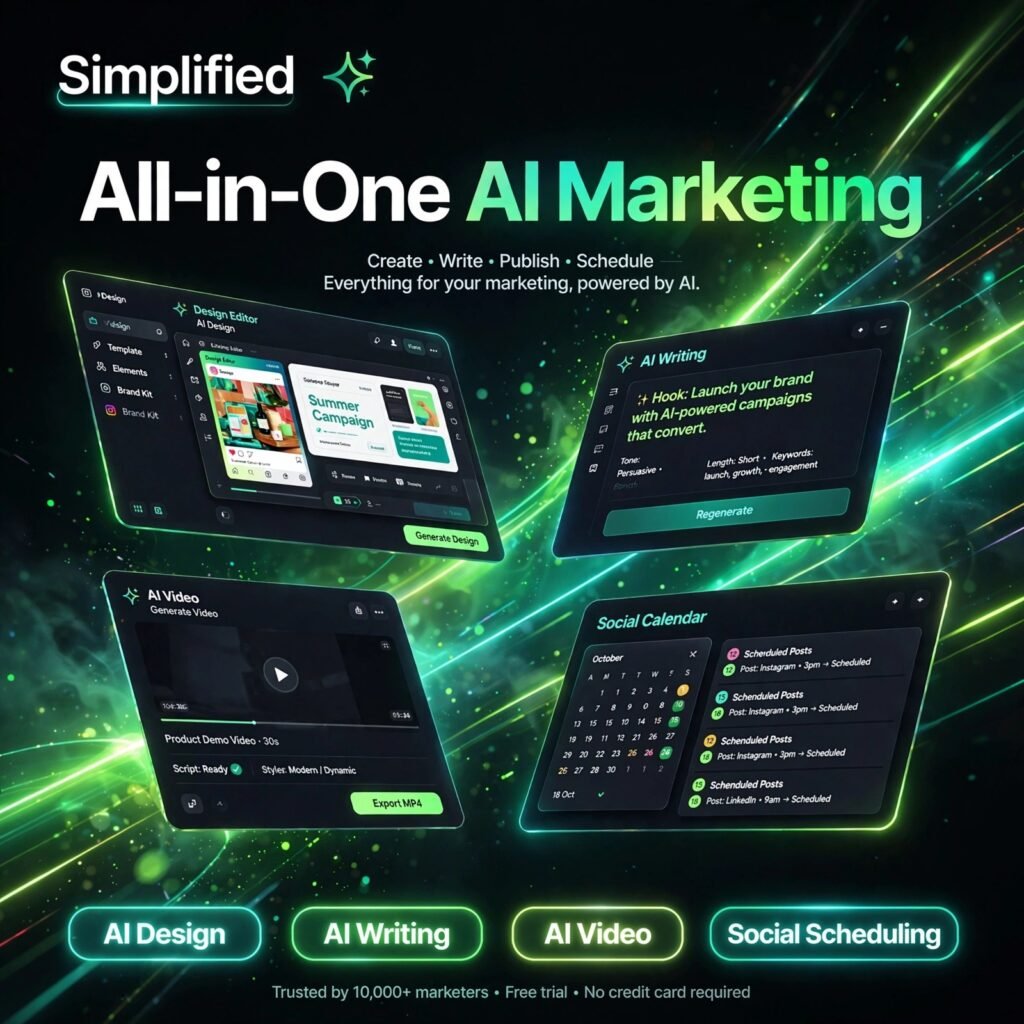
One workspace for design, writing, video and social media. Simplified is an all-in-one AI marketing platform that helps creators and small teams plan, create and publish content faster — without juggling five separate subscriptions.
What is Simplified?
Simplified is an all-in-one AI content creation platform used by millions of creators, freelancers and marketing teams. Instead of switching between a design app, a writing tool and a scheduler, you get AI design, AI writing, AI video and social media management in a single dashboard, with real-time team collaboration built in.
If you already use a dedicated design tool like Canva for graphics or a writing tool like Jasper for copy, Simplified aims to replace that scattered stack with one simpler subscription and one shared workspace for your whole campaign.
Key Features of Simplified
Here are the standout features that make Simplified popular with creators and small teams:
- AI Design: Create social posts, ads, presentations and brand assets from thousands of templates, with background removal, brand kits and millions of stock assets.
- AI Writer: Generate captions, ads, emails, product descriptions and blog copy with 80+ templates, multiple tones and support for 30+ languages.
- AI Video: Turn scripts and text into videos with AI avatars, voiceovers and subtitles — ideal for reels, shorts and UGC-style ads.
- Social Media Scheduling: Plan and publish to multiple social accounts from one calendar, with analytics and a social inbox to track performance.
- AI Image Generation: Generate on-brand images from a text prompt and drop them straight into designs, videos or scheduled posts.
- Team Collaboration: Comment, edit and approve work in real time, so teams can go from idea to published post without endless file exports.
How to Use Simplified
Getting started takes just a few minutes:
- Create a free account: Sign up at simplified.com — no credit card is needed for the free plan.
- Pick your workflow: Choose AI Design, AI Writer, AI Video or Social Media from the dashboard depending on what you want to create first.
- Start from a template or prompt: Describe what you need or pick a template, then let the AI generate a first draft in seconds.
- Customise your brand: Apply your logo, colours and fonts with a brand kit so every output stays on-brand.
- Schedule or download: Publish directly to your connected social accounts, schedule for later, or export the finished file.
Pro tip: Build one campaign inside Simplified end to end — write the caption, design the graphic and schedule the post together — to feel the real time saving over separate tools like Predis.ai for social content alone.
Simplified Pricing Plans
Simplified is freemium, with plans that scale from solo creators to agencies:
- Free – $0: Forever-free plan with limited AI credits, core design, writing and video tools, templates and basic social scheduling to test the platform.
- Pro – $19/month (annual billing): For solo creators — more monthly AI credits, 7 social accounts, scheduling, analytics and full AI writing and design tools.
- Business – $49/month (annual billing): For small teams — more AI credits, up to 15 social accounts, 3 team seats, API access and advanced scheduling.
- Growth / Enterprise – Custom / higher tiers: Bulk scheduling, advanced analytics, more accounts and storage for agencies and larger organisations.
The free plan is a good way to explore every module, but its credit quota runs out quickly with heavy use — most regular creators will want Pro. As a modern artificial intelligence platform, Simplified updates its plans regularly, so confirm current limits on simplified.com before upgrading.
Pros and Cons of Simplified
Pros:
- Genuine all-in-one value — design, writing, video and scheduling in one subscription
- Generous free plan to explore the full platform before paying
- Easy for beginners, with templates for almost every content type
- Real-time collaboration makes small-team workflows much faster
Cons:
- Jack of all trades — specialist tools can still beat it in one narrow area
- AI credits can run out quickly on lower plans with heavy video or image use
- Free plan credits are limited and do not suit sustained professional output
Frequently Asked Questions
Is Simplified free to use?
Yes. Simplified has a forever-free plan with limited AI credits that covers design, writing, video and social scheduling. Paid plans start at $19/month on annual billing for higher credit limits and more social accounts.
What can you create with Simplified?
You can create social media graphics, ads, presentations, written copy, AI images and AI videos, then schedule them to your social accounts — all from one workspace without switching apps.
Is Simplified good for small teams?
Yes. Business and higher plans add team seats, real-time commenting, brand kits, API access and advanced scheduling, which makes Simplified a practical choice for small marketing teams and agencies.
Does Simplified replace Canva and a scheduler?
For many creators, yes. Simplified combines design templates similar to Canva with AI writing, video creation and built-in social scheduling, so one subscription can replace several separate tools.