Spending too much time copying data between apps? Zapier is the leading workflow automation platform that connects over 6,000 apps — letting you build automated workflows (called Zaps) that move information between your tools without writing a single line of code.
What is Zapier?
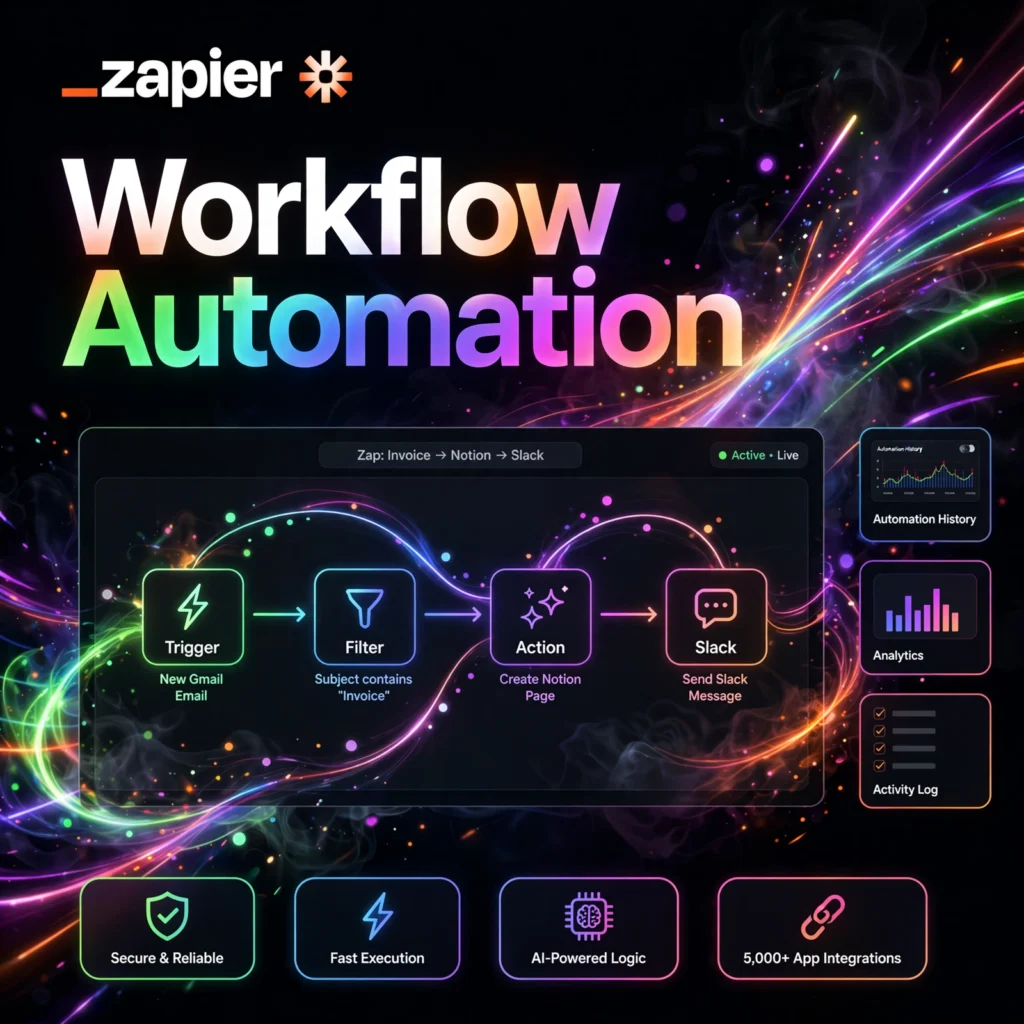
Zapier is a no-code automation platform that links your favorite apps and services together so they can share data and trigger actions automatically. A “Zap” is an automated workflow made up of a trigger (an event in one app) and one or more actions (things that happen in other apps as a result). For example, you can create a Zap that automatically saves Gmail attachments to Google Drive, adds new Shopify orders to a spreadsheet, or posts Slack notifications when a form is submitted. Founded in 2011, Zapier has grown into the most popular automation tool for small businesses, marketers, and operations teams. With AI-powered features like natural-language Zap building, creating automations is now easier than ever — just describe what you want in plain English and Zapier builds the workflow for you.
Key Features of Zapier
- 6,000+ App Integrations: Connect virtually every popular business app, from Google Workspace and Slack to Salesforce, HubSpot, and Notion.
- Multi-Step Zaps: Build workflows with multiple actions, conditional logic (Paths), filters, and formatting steps.
- AI Copilot: Describe your automation in natural language and let AI draft the Zap for you.
- Tables & Interfaces: Built-in database (Tables) and app-building tools (Interfaces) to create custom internal tools.
- Zapier Agents: AI agents that can reason, take actions across apps, and handle complex multi-step tasks autonomously.
- Webhooks & API: Connect custom or niche apps using webhooks, plus a developer platform for building private integrations.
- Shared Workspaces: Collaborate with your team on Zaps, manage permissions, and monitor automation activity from a central dashboard.
How to Use Zapier
- Create a free account at zapier.com.
- Click “Create Zap” from your dashboard.
- Choose a trigger app and event — for example, “New email in Gmail” or “New row in Google Sheets.”
- Connect your account and test the trigger to make sure Zapier can see your data.
- Add action steps — choose what should happen next, such as “Create a Trello card” or “Send a Slack message.”
- Map the data fields from the trigger into the action (e.g., email subject → card title).
- Test and turn on your Zap. It will now run automatically in the background.
Start with Zapier’s library of thousands of pre-built templates if you want proven automations without building from scratch.
Zapier Pricing
- Free Plan: 100 tasks per month, single-step Zaps, and basic features — great for personal use and simple automations.
- Professional Plan: Paid monthly tier with thousands of tasks, multi-step Zaps, conditional logic, premium apps, and faster update times.
- Team Plan: Adds shared workspaces, unlimited users, shared app connections, and advanced collaboration controls.
- Enterprise Plan: Custom task volumes, SSO/SAML, advanced admin controls, dedicated support, and compliance features.
Zapier counts “tasks” (each successful action step) rather than Zaps, so heavy users should estimate their monthly volume before choosing a plan.
Pros and Cons of Zapier
Pros:
- Largest app ecosystem — over 6,000 integrations
- True no-code builder; anyone can create automations
- AI Copilot and Agents make setup dramatically faster
- Reliable infrastructure with detailed run history and error handling
- Excellent template library for common workflows
- Scales from solo users to large enterprises
Cons:
- Task-based pricing can get expensive at high volumes
- Complex workflows with many steps consume tasks quickly
- Some advanced logic still requires workarounds compared to code
- Free plan is limited to 100 tasks and single-step Zaps
Frequently Asked Questions
Is Zapier free?
Yes, Zapier has a free plan with 100 tasks per month and single-step Zaps. Paid plans add more tasks, multi-step workflows, premium apps, and team features.
What is a Zap?
A Zap is an automated workflow in Zapier. It starts with a trigger (an event in one app) and performs one or more actions in other apps automatically — for example, saving email attachments to cloud storage.
Do I need coding skills to use Zapier?
No. Zapier is a no-code platform — you build automations through a visual editor. The AI Copilot can even generate Zaps from a plain-English description.
How is Zapier different from Make or n8n?
Zapier has the largest app library and the simplest interface, making it ideal for business users. Make and n8n offer more visual data-flow control and can be cheaper at scale, but have a steeper learning curve.