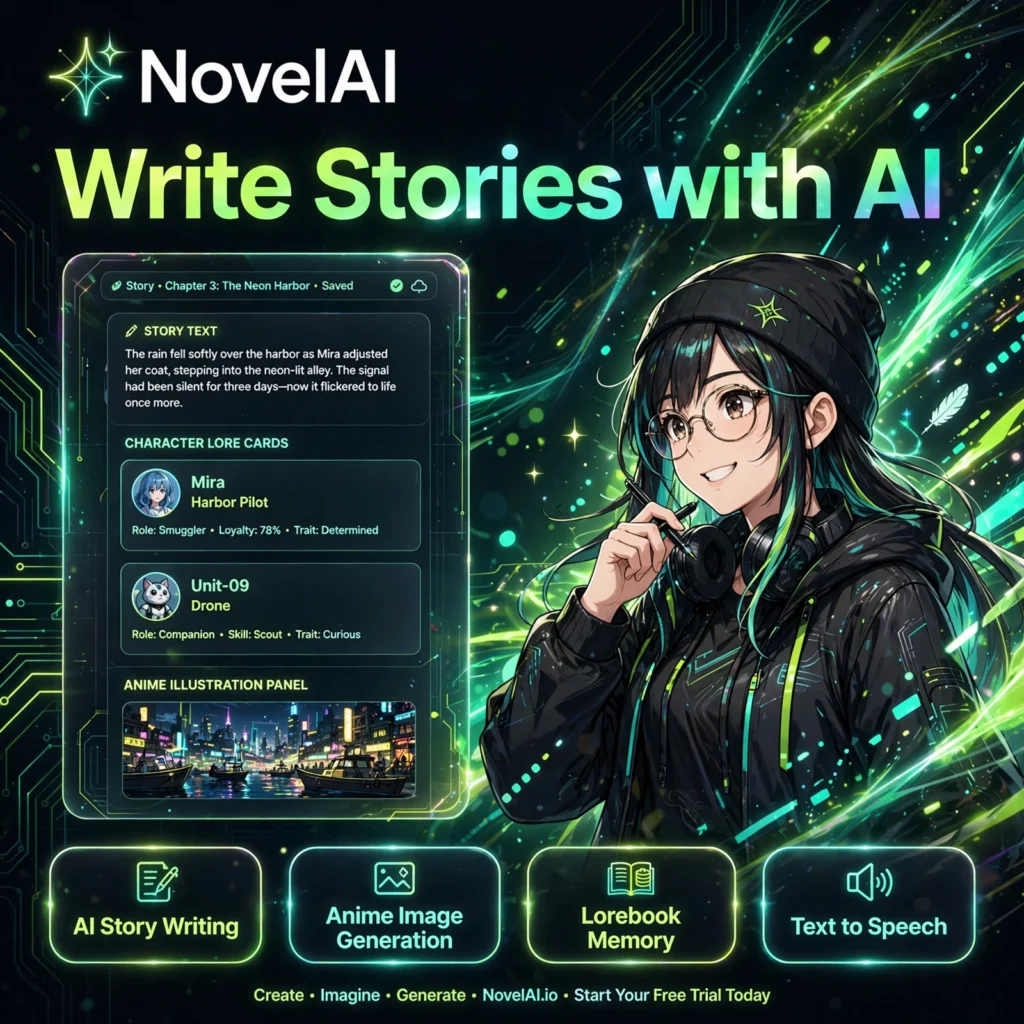
Want an AI co-writer that actually remembers your world? NovelAI is a subscription AI storytelling platform that helps you write fiction, roleplay adventures, and generate matching anime-style artwork — all in one creative workspace built for storytellers.
What is NovelAI?
NovelAI is an AI-powered storytelling and image generation platform launched in 2021. Unlike a general AI chatbot, its text models are tuned specifically for fiction, so the prose holds pacing, keeps dialogue distinct, and follows the tone and genre you set. You write a prompt or opening scene, and the AI continues the story with you, turn by turn.
Alongside writing, NovelAI includes a well-known anime image generator, so you can illustrate characters and scenes without leaving the story. Writers who prefer a dedicated fiction assistant often compare it with Sudowrite, while artists pair it with tools like Midjourney for other visual styles.
Key Features of NovelAI
Here are the standout features that make NovelAI a favourite for fiction writers and roleplayers:
- AI Story Writing: Fiction-tuned models including Erato and Kayra that continue your story in your voice, genre, and point of view.
- Anime Image Generation: Create anime-style illustrations from text prompts or tags, with controls for steps, samplers, and undesired content.
- Lorebook Memory: Store characters, locations, and world rules in a Lorebook — entries are pulled into context automatically when keywords appear, keeping long stories consistent.
- Text to Speech: Generate spoken narration for your stories with multiple voices, useful for listening to drafts or roleplay sessions.
- Author’s Note & Memory: Steer style and pacing in real time and pin key facts so the AI remembers what matters most.
- Privacy Focus: Stories are stored with encryption options, and NovelAI states private stories are not used to train its models.
How to Use NovelAI
Getting started takes only a few minutes:
- Create an account: Go to novelai.net and start on the free Paper trial to explore text and image generation.
- Start a story: Open the Storyteller, write an opening paragraph or prompt, and choose your text model.
- Build your Lorebook: Add entries for your main characters, places, and rules so the AI stays consistent over chapters.
- Generate and steer: Let the AI continue, then edit, retry, or use the Author’s Note to adjust tone, pacing, and style.
- Illustrate scenes: Switch to the image generator, describe a character or scene, and refine with tags and settings.
Pro tip: Short, specific Lorebook entries work best — one clear fact per entry helps the AI recall exactly the right detail at the right moment.
NovelAI Pricing Plans
NovelAI offers a free trial plus three paid tiers. Image generation uses Anlas, the platform’s credit currency:
- Paper – Free trial: 50 free text generations, 30 free image generations, and 100 free text-to-speech generations to test the platform.
- Tablet – $10/month: Unlimited text generation, 1,000 Anlas per month for images, and access to the Kayra model.
- Scroll – $15/month: Unlimited text generation, 1,000 Anlas per month, and a larger context window so the AI remembers more of your story.
- Opus – $25/month: 10,000 Anlas per month, the largest context window, top-tier models, and free standard-size image generations under set conditions.
Because the Paper tier is only a limited trial rather than a full free plan, regular writers will need a paid subscription — Tablet is enough for most casual storytellers.
Pros and Cons of NovelAI
Pros:
- Text models tuned for fiction, with stronger story consistency than general chatbots
- Lorebook keeps characters and world rules consistent across long stories
- Built-in anime image generation alongside writing in one subscription
- Deep customisation for advanced users, yet simple enough for beginners
Cons:
- Free Paper tier is only a short trial, not an ongoing free plan
- The Anlas credit system for images takes time to understand
- Image generation focuses on anime style, not photorealistic art
Frequently Asked Questions
Is NovelAI free to use?
NovelAI offers a free Paper trial with 50 text generations, 30 image generations, and 100 text-to-speech generations. After the trial, a paid plan is required, starting with Tablet at $10/month for unlimited text generation.
What is the Lorebook in NovelAI?
The Lorebook is NovelAI’s worldbuilding memory. You create entries for characters, locations, and rules, and when a related keyword appears in your story, the AI automatically pulls that entry into context to keep details consistent.
Can NovelAI generate images?
Yes. NovelAI includes an anime-style image generator driven by text prompts and tags. Image generation uses Anlas credits included with paid plans, and Opus members get free standard-size generations under set conditions.
Which NovelAI plan is best for beginners?
Tablet at $10/month is the best starting point for most beginners. It includes unlimited text generation and 1,000 Anlas per month. Choose Scroll or Opus later if you need a larger story memory or more image credits.