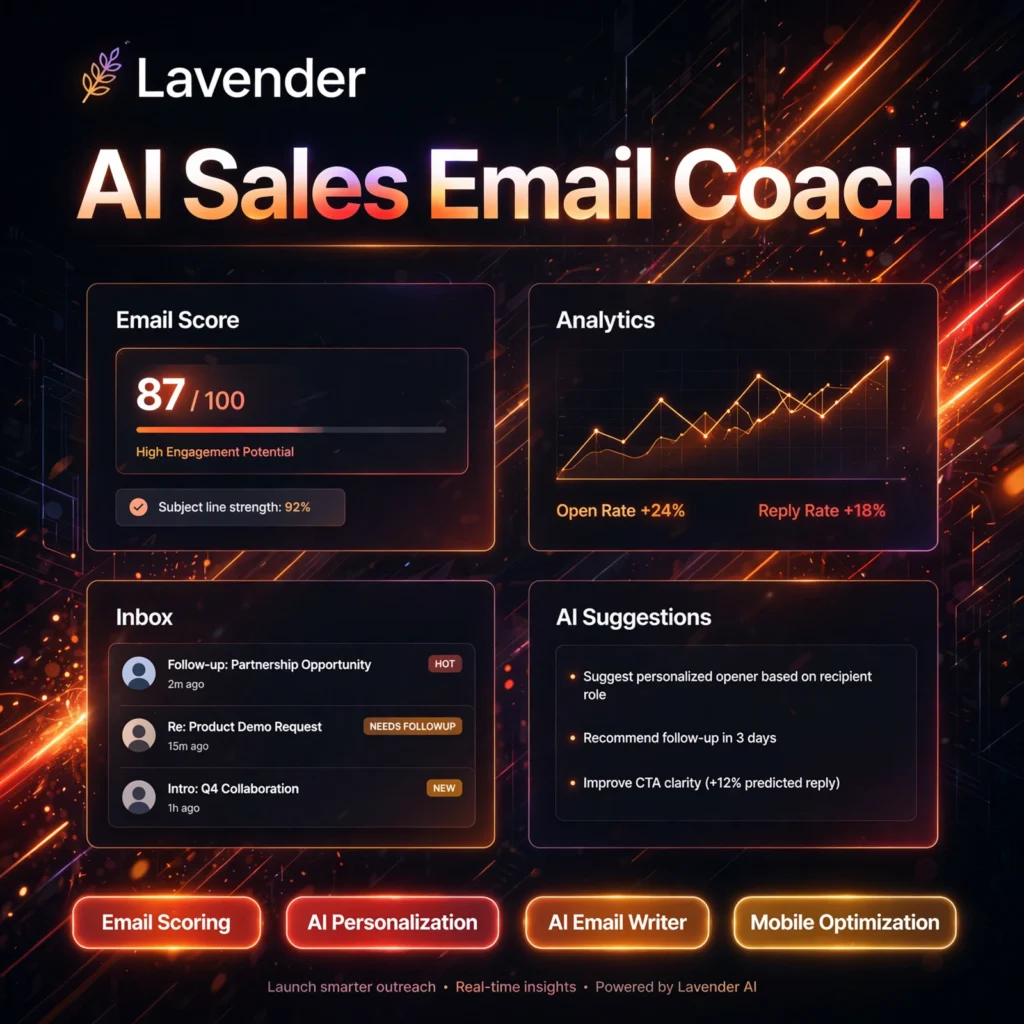
Cold emails fail when they sound generic. Lavender is an AI sales email coach that scores every draft before you send it, suggests personalisation from prospect data, and helps sales teams write shorter, clearer emails that earn more replies.
What is Lavender?
Lavender is an AI email coaching assistant for SDRs, account executives, and sales teams. It works inside Gmail, Outlook, Outreach, Salesloft, and HubSpot, analysing your draft in real time against patterns from billions of sales emails. Instead of just fixing grammar like Grammarly, Lavender focuses on what drives replies: length, tone, clarity, personalisation, and mobile readability.
When your score is low, Lavender explains why and offers one-click rewrites. Its Personalization Assistant pulls in prospect context so each message feels researched, not templated — a different job from a general writer such as Copy.ai or an inbox tool like Superhuman.
Key Features of Lavender
Here are the standout features that make Lavender popular with outbound teams:
- Real-Time Email Scoring: Every draft gets a score with specific fixes for length, tone, readability, and structure, targeting a high score before you hit send.
- Personalization Assistant: Surfaces prospect data, company news, and social context inside your inbox so you can personalise in seconds.
- AI Email Writer: Generates or rewrites emails and follow-ups from bullet points, in your voice and at the right length.
- Mobile Optimization: Previews how your email looks on a phone and flags walls of text that hurt mobile replies.
- Team Coaching Dashboard: Managers see team scores, trends, and templates that work, so coaching is based on data.
- Sales Stack Integrations: Works with Gmail, Outlook 365, HubSpot, Outreach, and Salesloft, plus a Chrome extension for writing anywhere.
How to Use Lavender
Getting started takes only a few minutes:
- Sign up free: Create an account at lavender.ai — the Basic plan needs no credit card.
- Install the extension: Add the Chrome extension and connect Gmail or Outlook 365.
- Draft your email: Write a cold email or follow-up as normal and watch your Lavender score update live.
- Apply the coaching: Follow the suggestions, use the AI writer to tighten weak lines, and check the mobile preview.
- Personalise and send: Add a prospect-specific line from the Personalization Assistant, aim for a high score, then send and track results in the dashboard.
Pro tip: Keep cold emails short, lead with the prospect’s problem, and end with one low-friction question — Lavender’s scoring rewards exactly that structure.
Lavender Pricing Plans
Lavender is freemium, with a free plan and paid tiers for individuals and teams:
- Basic – $0: Free forever. Analyse 5 emails and personalise 5 emails per month, with Gmail and Outlook 365, AI writer, and mobile optimisation.
- Starter – $29/month ($27/month billed annually): Unlimited emails, personalisation, and AI recommendations, multi-inbox support, and Lavender Anywhere.
- Individual Pro – $49/month ($45/month billed annually): Everything in Starter plus full sales-stack integrations, priority support, and a dedicated CSM.
- Teams – $69–$99/user/month: Aggregated email analytics, coaching dashboards, shared templates, and team leaderboards. A 7-day free trial of paid features is available.
The free plan is enough to test the coaching on real outreach; high-volume senders will want Starter for unlimited scoring.
Pros and Cons of Lavender
Pros:
- Scores drafts against real reply data, not generic writing rules
- Personalisation research built directly into the inbox workflow
- Works inside Gmail, Outlook, HubSpot, Outreach, and Salesloft
- Free plan and 7-day trial make it easy to evaluate
Cons:
- Free plan is limited to 5 email analyses per month
- Focused only on sales outreach — not a general long-form writer
- It coaches and writes emails but does not send campaigns itself; see email marketing tools for sending
Frequently Asked Questions
Is Lavender free to use?
Yes. Lavender’s Basic plan is free forever and includes 5 email analyses and 5 personalisations per month in Gmail and Outlook, with no credit card required. Paid plans start at $29/month for unlimited use.
Does Lavender send emails for you?
No. Lavender is a coaching layer that scores, personalises, and rewrites your drafts before you send them. You still send from Gmail, Outlook, or a sales engagement platform such as Outreach or Salesloft.
What tools does Lavender integrate with?
Lavender integrates with Gmail, Outlook 365, HubSpot, Outreach, and Salesloft, and its Chrome extension and Lavender Anywhere feature let you get coaching wherever you write emails in the browser.
Can Lavender really improve reply rates?
Lavender coaches against patterns from billions of analysed sales emails, and higher-scored emails consistently earn more replies in its benchmarks. Results vary by list quality and offer, but shorter, clearer, personalised emails are a proven advantage.