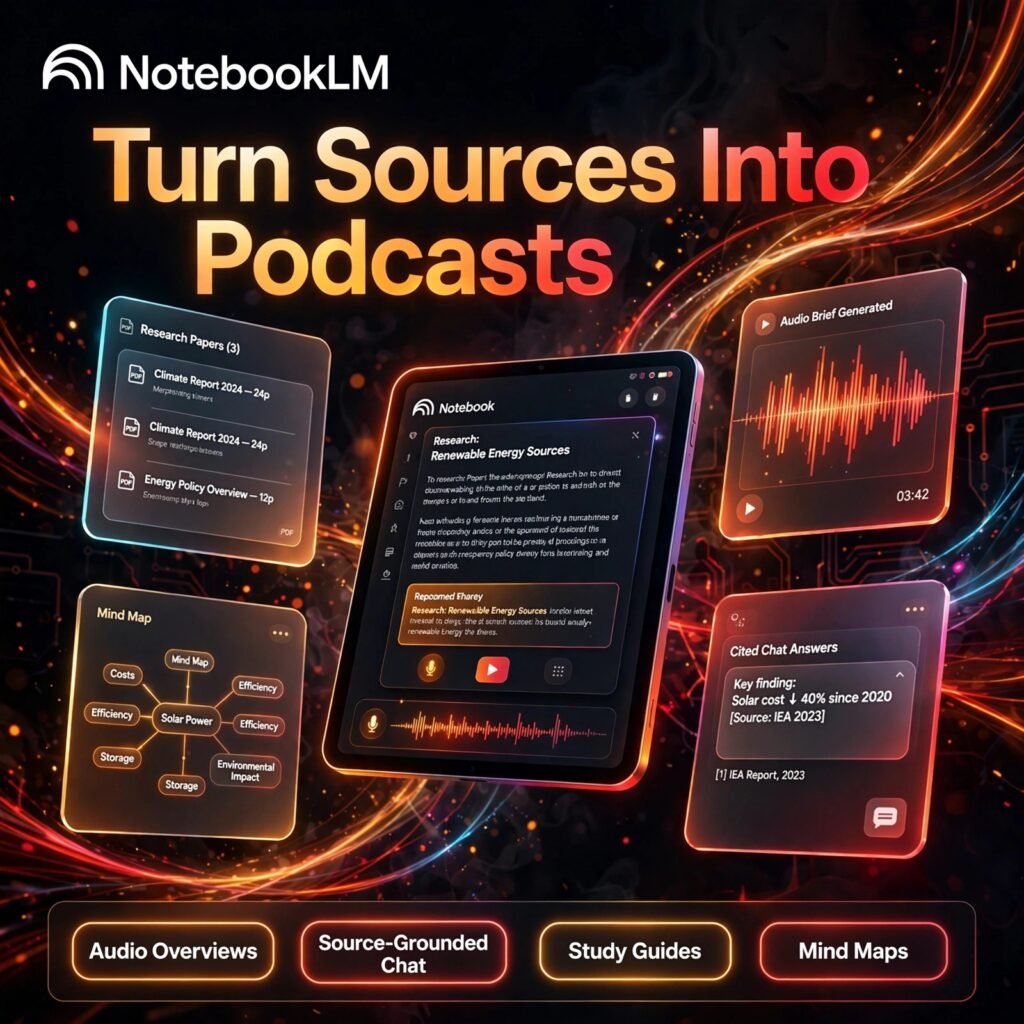
Your documents, turned into answers you can trust. NotebookLM is Google’s AI research assistant that reads only the sources you upload, answers with clear citations, and can even turn dense material into a listenable podcast-style overview.
What is NotebookLM?
NotebookLM is a source-grounded research workspace from Google. Instead of answering from the open web, it works from the files, links and notes inside each notebook you create. That makes it very different from a general AI chatbot — every answer can be traced back to a passage in your own material.
It is powered by Google’s Gemini models, so you get strong summarising and reasoning, but the focus stays on your sources. Students, researchers, writers and teams use it to understand long reports, lecture notes, interview transcripts and project documents much faster.
Key Features of NotebookLM
Here are the features that make NotebookLM stand out for research and study:
- Audio Overviews: Turn your sources into a two-host, podcast-style audio discussion you can listen to while commuting or revising.
- Source-Grounded Chat: Ask questions about your documents and get answers with inline citations that jump straight to the exact source passage.
- Many Source Types: Add PDFs, Google Docs and Slides, web pages, YouTube videos, copied text and audio files into a single notebook.
- Study Guides and Briefings: Generate FAQs, timelines, briefing documents, tables of contents and study guides from your material in one click.
- Mind Maps: Visualise the main themes in your sources as an interactive mind map to see how ideas connect.
- Video Overviews and Reports: Create narrated video summaries and structured reports from the same notebook, with higher tiers unlocking more formats.
How to Use NotebookLM
Getting started takes only a few minutes, even with a large set of documents:
- Create a notebook: Go to notebooklm.google.com, sign in with a Google account and start a new notebook for your project or subject.
- Add your sources: Upload PDFs or documents, paste links, or add YouTube videos — up to 50 sources on the free plan.
- Chat with your material: Ask specific questions and click any citation number to verify the answer in the original source.
- Generate an Audio Overview: Use the Studio panel to create a podcast-style summary, a study guide, a mind map or a briefing document.
- Save and share: Pin useful answers as notes, organise them, and share the notebook with classmates or colleagues if needed.
Pro tip: Keep each notebook focused on one topic. A tight, relevant source set produces far more accurate answers than one giant notebook covering everything.
NotebookLM Pricing Plans
NotebookLM follows a freemium model, with paid capacity bundled into Google AI plans rather than a separate subscription:
- Free – $0: Up to 100 notebooks, 50 sources per notebook, daily chat limits and a small number of Audio Overviews per day — generous enough for most individual study and research.
- Plus – from around $4.99/month via Google AI Plus: Roughly double the notebooks and sources per notebook, with higher daily limits.
- Pro – $19.99/month via Google AI Pro: Up to 500 notebooks and 300 sources per notebook, much higher usage limits, plus Gemini benefits and cloud storage in the wider plan.
- Ultra – from $99.99/month via Google AI Ultra: The highest limits, up to 500–600 sources per notebook and premium video overview options for heavy professional use.
Exact limits and bundle prices change with Google’s plans, so check the official site before upgrading. For most readers, the free tier is the right place to start.
Pros and Cons of NotebookLM
Pros:
- Answers are grounded in your sources, with citations you can verify
- Audio Overviews make revision and long documents far more engaging
- Very generous free plan compared with most AI research tools
- Clean, simple interface that needs almost no learning curve
Cons:
- It only knows your uploaded sources — it is not a general web search tool
- Daily limits on chat and Audio Overviews can bite on the free plan
- No true offline mode; files are processed on Google’s servers
- Paid upgrades are bundled into wider Google AI plans, not sold standalone
Frequently Asked Questions
Is NotebookLM free to use?
Yes. The free plan includes up to 100 notebooks with 50 sources per notebook, source-grounded chat and Audio Overviews, with daily usage limits. Paid Google AI plans raise those limits significantly.
What are Audio Overviews in NotebookLM?
Audio Overviews turn your uploaded sources into a podcast-style conversation between two AI hosts. They are designed to help you absorb and revise material by listening, instead of re-reading long documents.
Does NotebookLM answer from the internet or from my files?
NotebookLM answers primarily from the sources inside your notebook and shows citations for its claims. That source grounding is its main advantage for study, research and fact-checking your own documents.
What file types can I add to NotebookLM?
You can add PDFs, Google Docs and Slides, web page links, YouTube videos, copied text and audio files. Each source can be very large, which makes the tool suitable for books, reports and long transcripts.