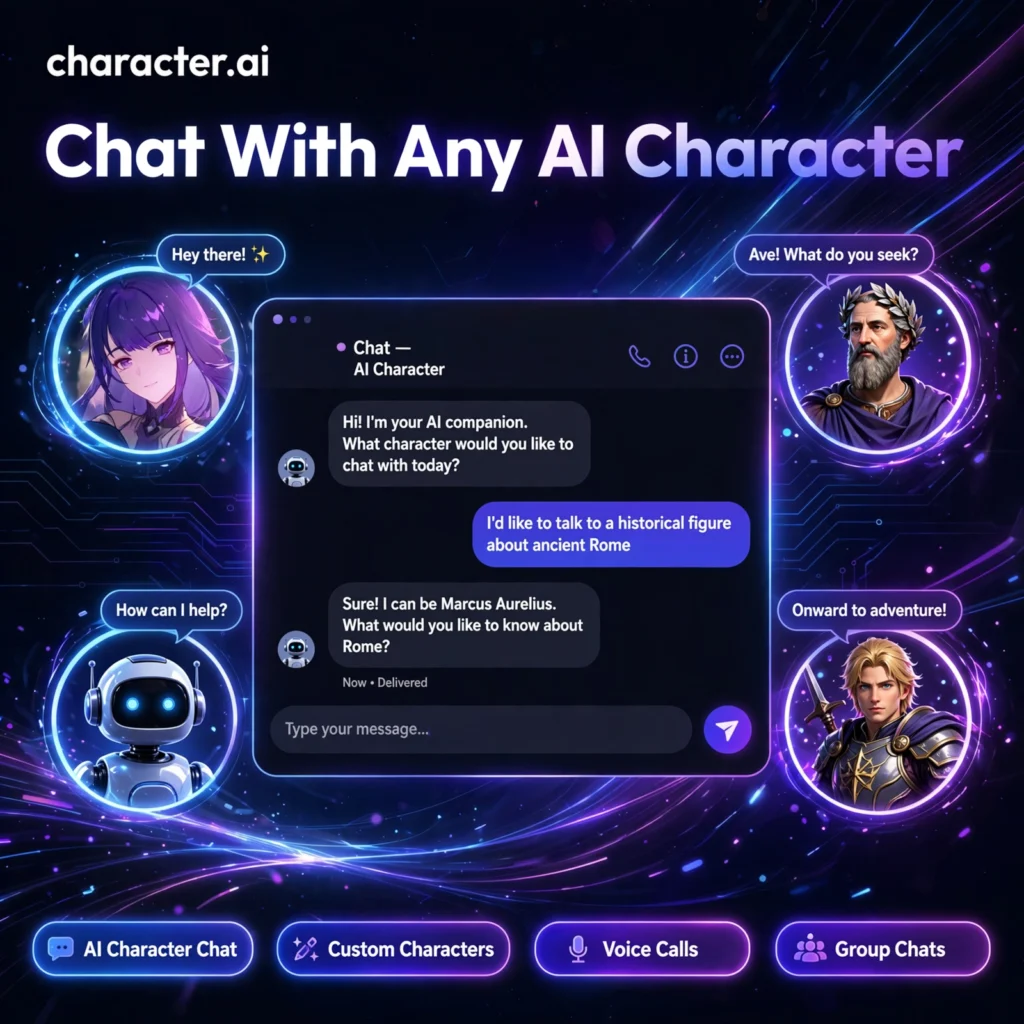
Ever wanted to debate philosophy with a historical figure, brainstorm with a fictional hero, or practise a new language with a patient tutor? Character.AI makes it possible — it hosts more than 10 million AI characters you can chat with for free, in text or by voice, any time of day.
What is Character.AI?
Character.AI is a conversational AI platform built around personalities, launched in public beta in 2022 by former Google engineers. Unlike a general-purpose assistant such as ChatGPT, every conversation here happens with a character — a historical figure, an anime persona, a celebrity-style coach, a language tutor, or an original creation from the community. Read more about the company on Wikipedia.
The platform is loved for roleplay, creative writing, entertainment, and learning. Characters remember context, stay in personality, and can even talk back with realistic voices, which makes chats feel far more alive than a standard chatbot session.
Key Features of Character.AI
Here is what makes Character.AI the biggest AI character platform in the world:
- 10M+ Character Library: The largest collection of AI characters anywhere — anime, fiction, history, education, gaming, and entertainment personas created by the community.
- Character Creation: Build your own AI persona in minutes with a custom personality, backstory, greeting message, and avatar — no coding needed.
- Voice Calls: Have real-time voice conversations with characters, complete with animated expressions for a more immersive chat.
- Group Chats: Put multiple AI characters in one room and watch them interact with each other and with you.
- Chat Memories: Characters remember earlier conversations, so long-running stories and relationships stay coherent over time.
- Mobile Apps: Full-featured iOS and Android apps so your characters are always in your pocket.
How to Use Character.AI
Getting started takes less than a minute:
- Create a free account: Visit character.ai and sign up with email or a social login.
- Pick a character: Browse the home feed, search by topic, or open a trending character that catches your eye.
- Start chatting: Type naturally, swipe to regenerate a reply you do not like, and pin important memories.
- Try a voice call: Tap the phone icon to speak with the character out loud instead of typing.
- Create your own: Use the Create button to design a character with your own personality, voice, and opening line, then share it publicly or keep it private.
Pro tip: Give your custom character a detailed definition and example dialogues — the more personality detail you provide, the more consistently it stays in character.
Character.AI Pricing Plans
Character.AI runs on a simple freemium model:
- Free – $0: Unlimited messages, access to all 10M+ characters, character creation, and limited voice calls. You may see ads and slower responses at peak hours.
- c.ai+ – $9.99/month: Priority access with no waiting room, 2-3x faster responses, full voice call access, enhanced memory, early access to new features, and fewer ads.
- c.ai+ Annual – $94.99/year: The same premium perks at roughly $7.92/month — about 20% cheaper than paying monthly.
Importantly, both plans use the same underlying AI model, so the free plan is genuinely capable — c.ai+ mainly buys speed, convenience, and extras. If you enjoy spoken conversations, pair it with a dedicated voice tool like ElevenLabs for your own projects.
Pros and Cons of Character.AI
Pros:
- Unmatched library of 10M+ characters across every genre
- Truly unlimited free messaging — rare among AI chatbots
- Voice calls and group chats make conversations feel social and fun
- Easy character creation with strong memory for long stories
Cons:
- Free users face ads and waiting times during peak hours
- Strict content filters can interrupt creative roleplay
- Not designed for productivity tasks — for work, a general assistant like Claude is a better fit
Frequently Asked Questions
Is Character.AI free to use?
Yes. The free plan includes unlimited messages, access to all 10M+ characters, and character creation. The optional c.ai+ subscription ($9.99/month) adds faster responses, priority access at peak hours, full voice calls, and fewer ads.
What is c.ai+ and is it worth it?
c.ai+ is Character.AI’s premium plan at $9.99/month or $94.99/year. It removes the waiting room, speeds up replies, unlocks unlimited voice calls and enhanced memory, and gives early access to new features. It is worth it if you chat daily and hate waiting at peak times.
Can I create my own character on Character.AI?
Yes — creation is free. You can set a name, avatar, greeting, personality description, and example dialogues, then keep the character private or publish it for the community to chat with.
Is Character.AI safe?
Character.AI applies content filters, reporting tools, and age-appropriate restrictions, and bans explicit content. As with any AI chatbot, avoid sharing personal or sensitive information in your conversations.