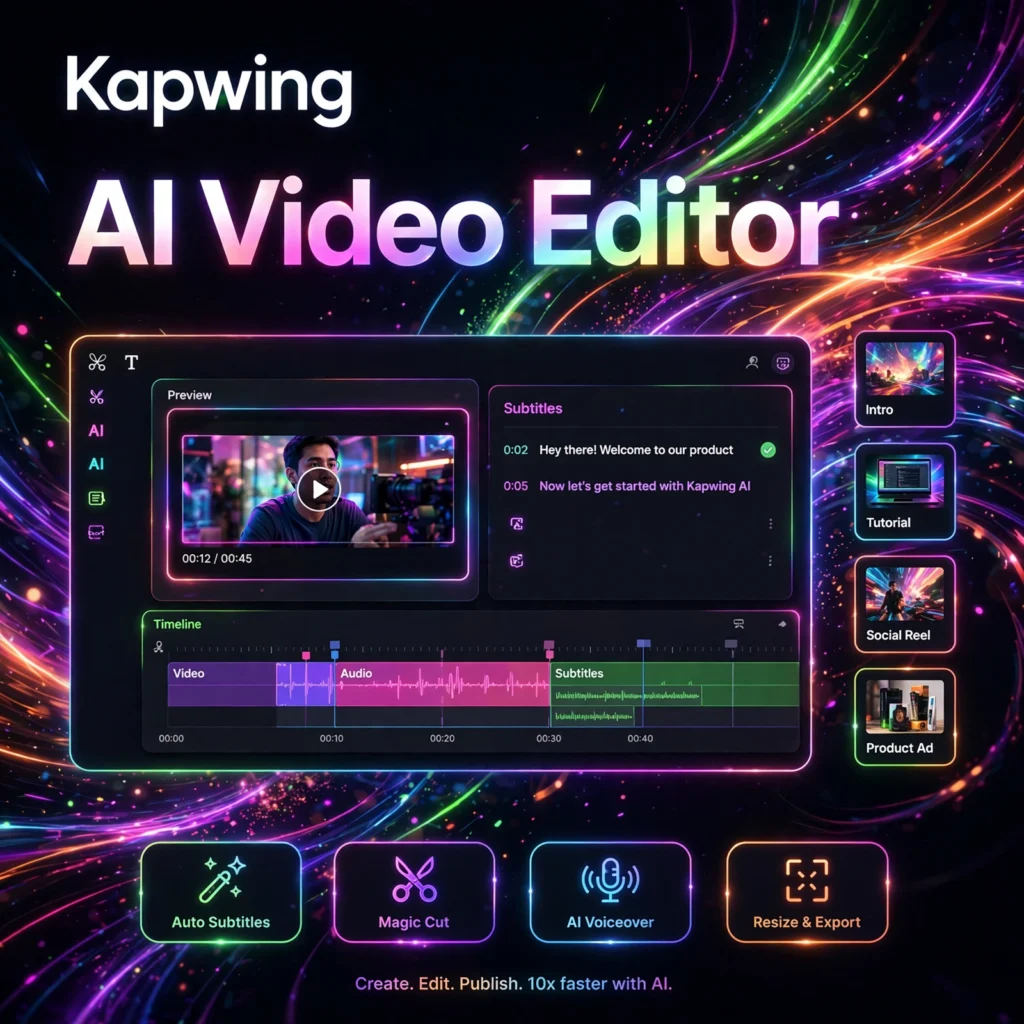
Need to edit, caption, and publish social videos without installing heavy desktop software? Kapwing is a collaborative, browser-based AI video editor that helps creators and teams trim, subtitle, dub, and resize videos in minutes — all from a single online workspace.
What is Kapwing?
Kapwing is an online video editing and content creation platform built entirely for the browser. No downloads are needed — you open a project, edit on a familiar timeline, and export for YouTube, TikTok, Instagram, or LinkedIn. AI is woven into everyday tasks, from automatic subtitles to silence removal.
Teams can edit together in real time and share a branded workspace. If you have tried tools like VEED or Descript, Kapwing feels familiar, but it puts real-time collaboration and fast social repurposing at the centre of the experience — modern video editing software for the web.
Key Features of Kapwing
Here are the features that make Kapwing popular with creators, marketers, and educators:
- Auto Subtitles and Translation: Generate accurate captions in seconds and translate them into many languages, with generous subtitle minutes on paid plans — ideal for reaching global audiences.
- Smart Cut and Clean Audio: AI automatically removes silences, filler words, and background noise so talking-head videos sound polished without manual scrubbing.
- AI Video Generation and Repurpose: Turn a prompt, article, or long video into short, social-ready clips, and resize one edit for every platform in a single click.
- Dubbing, Text to Speech, and Voice Cloning: Create voiceovers, dub videos into other languages, and on higher plans clone voices and sync lips to the new audio.
- Real-Time Collaboration: Multiple editors can work on the same project simultaneously, with comments, version history, shared folders, and a shared media library.
- Brand Kit and Templates: Save logos, colours, and custom fonts, and start faster with hundreds of templates for Reels, Shorts, memes, intros, and promos.
- Background Removal and Effects: Remove or replace video backgrounds, stabilise footage, apply chroma key, and add text, overlays, and transitions without plug-ins.
How to Use Kapwing
You can go from raw footage to a finished, captioned video in a few simple steps:
- Create a free account: Sign up at kapwing.com and start a new project in your browser — nothing to install.
- Upload or generate media: Upload clips, record in the browser, pull from the stock library, or generate a first draft with Kapwing’s AI tools.
- Edit on the timeline: Trim, split, and arrange clips, then add text, music, and effects. Use Smart Cut to remove silences automatically.
- Add subtitles and branding: Auto-generate captions, edit the wording, apply your Brand Kit, and resize the canvas for TikTok, Reels, or YouTube.
- Export and share: Export in up to 4K on paid plans, share a review link for team comments, and publish directly to your channels.
Pro tip: Turn one long recording into several short, captioned clips to fill a week of social content.
Kapwing Pricing Plans
Kapwing uses per-member pricing with a genuinely usable free tier for testing:
- Free – $0: Unlimited exports with a Kapwing watermark, videos up to about 4 minutes at 720p, 10 minutes of auto-subtitling per month, and basic editing tools and templates.
- Pro – $16/member/month billed annually ($24 monthly): No watermark, exports up to 2 hours in 4K, around 1,000 AI credits and up to 1,000 minutes of auto-subtitling per month, Brand Kit, custom fonts, and unlimited cloud storage.
- Business – $50/member/month billed annually ($64 monthly): Everything in Pro plus much higher subtitle, translation, and dubbing limits, custom voice clones, lip sync, and priority support.
- Enterprise – Custom: Custom AI credits and limits, SAML SSO, a dedicated account manager, onboarding and training, and priority support.
For most creators, Pro is the sweet spot. It also pairs well with a generator like Pictory for script-to-video first cuts.
Pros and Cons of Kapwing
Pros:
- Fully browser-based — no installation, works on any computer
- Excellent auto-subtitles, translation, and dubbing built in
- True real-time collaboration for teams and agencies
- Smart Cut and Clean Audio save hours on talking-head videos
- Fast resizing and repurposing for every social platform
Cons:
- Free exports carry a watermark and are limited to short, 720p videos
- Large or complex projects can feel slow in the browser
- Less powerful than professional desktop editors for advanced work
- No free trial of paid plans, so test the free tier thoroughly first
Frequently Asked Questions
Is Kapwing free to use?
Yes. Kapwing’s free plan lets you edit and export unlimited videos with a watermark, at up to 720p and about 4 minutes long, with 10 minutes of auto-subtitling per month. Paid plans start at $16 per member per month billed annually.
Does Kapwing add subtitles automatically?
Yes. Kapwing’s auto-subtitle tool transcribes your video and generates editable captions in seconds, and it can translate those subtitles into many languages. Pro includes up to around 1,000 minutes of auto-subtitling per month.
Can teams collaborate in Kapwing?
Yes. Kapwing is built for collaboration — multiple people can edit the same project at the same time, leave frame-specific comments, use version history, and share a workspace, Brand Kit, and media library.
What is the difference between Kapwing Pro and Business?
Pro ($16/member/month annually) suits individual creators with 4K exports, no watermark, and generous subtitle limits. Business ($50/member/month annually) adds much higher AI, dubbing, and translation limits, custom voice clones, and lip sync for high-volume teams.