Imagine having an AI pair programmer looking over your shoulder, suggesting entire functions before you finish typing. GitHub Copilot is exactly that — an AI coding assistant trained on billions of lines of public code that autocompletes code, writes boilerplate, and even generates tests as you work.
What is GitHub Copilot?
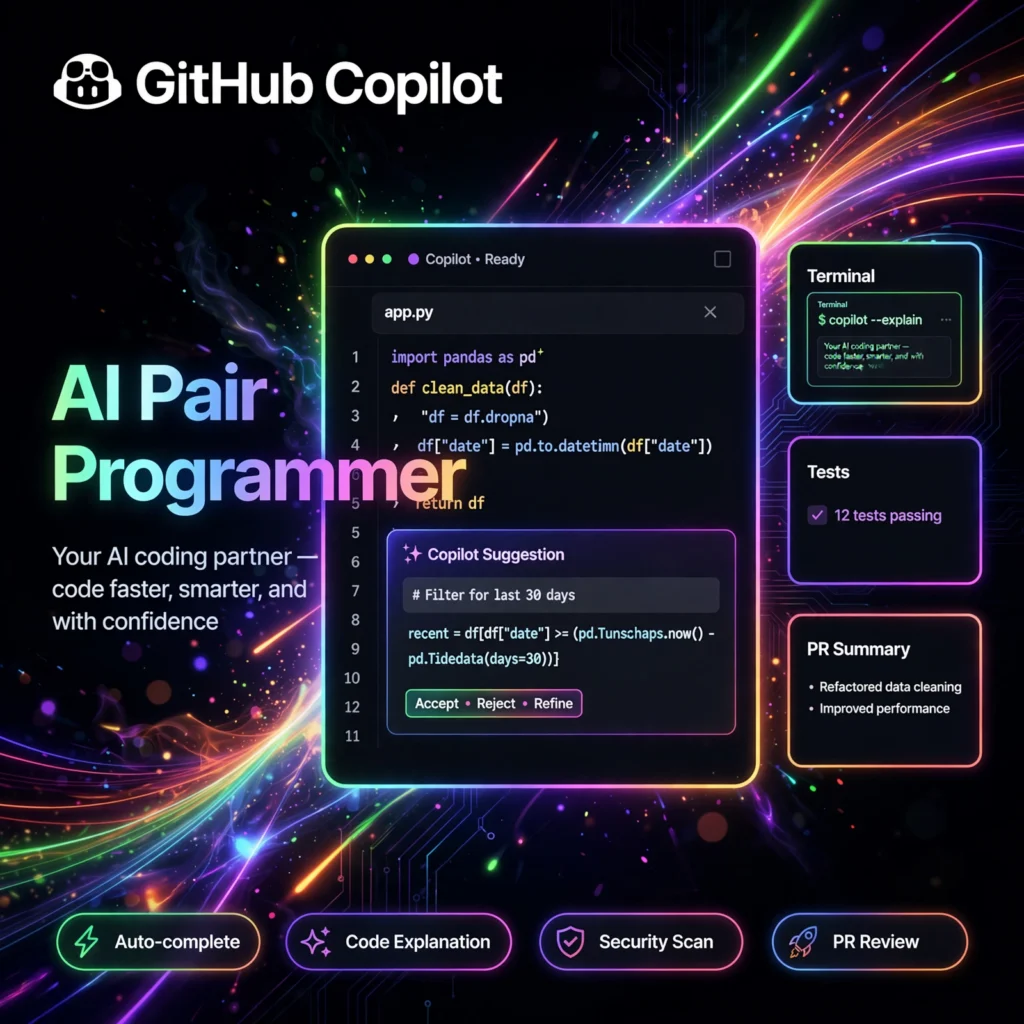
GitHub Copilot is an AI-powered code completion tool developed by GitHub in collaboration with OpenAI. Powered by advanced language models trained on vast amounts of public source code, Copilot integrates directly into your editor and suggests code in real time — from single lines to entire functions — based on the context of what you’re writing, including comments and surrounding code. It works across dozens of programming languages, with particularly strong performance in Python, JavaScript, TypeScript, Ruby, and Go. Beyond autocomplete, Copilot now includes Copilot Chat for conversational coding help, an agentic coding mode that can plan and execute multi-step changes, and deep integration with GitHub.com for pull request summaries and code review assistance. Used by millions of developers, it has become one of the most widely adopted AI developer tools in the world.
Key Features of GitHub Copilot
- Real-Time Code Completions: Get context-aware suggestions as you type — accept with Tab and keep your flow going.
- Copilot Chat: Ask coding questions in natural language, get explanations, generate code, or debug errors conversationally.
- Agent Mode: Describe a task and let Copilot autonomously explore your repo, edit multiple files, and run commands.
- Multi-Language Support: Works with Python, JavaScript, TypeScript, Java, C#, Go, Ruby, PHP, and many more.
- IDE Integrations: Native extensions for VS Code, Visual Studio, JetBrains IDEs, and Neovim.
- Pull Request Support: AI-generated PR summaries, code review suggestions, and chat assistance right on GitHub.com.
- Custom Models & Enterprise Controls: Organizations can choose models, set policies, and manage Copilot usage centrally.
How to Use GitHub Copilot
- Get a subscription — Copilot offers individual plans, plus free access for verified students, teachers, and open-source maintainers.
- Install the extension in your editor (e.g., the GitHub Copilot extension for VS Code) and sign in with your GitHub account.
- Start typing code — Copilot shows ghost-text suggestions automatically; press Tab to accept or Esc to dismiss.
- Write a comment describing what you want (e.g., “// function to validate email addresses”) and let Copilot generate the implementation.
- Open Copilot Chat (Ctrl+I or via the sidebar) to ask questions, explain code, or generate tests.
- Try Agent Mode for complex tasks: describe the goal, review the proposed changes, and approve each step.
- Review everything — AI suggestions are usually good but should always be tested before shipping.
GitHub Copilot Pricing
- Free Tier: Limited completions and chat requests per month for individuals — a good way to try Copilot.
- Pro Plan: Monthly subscription for individuals with generous usage limits across completions, chat, and agent mode.
- Pro+ Plan: Higher-tier individual plan with maximum usage limits and early access to the newest models.
- Business & Enterprise: Per-seat pricing for organizations with policy management, SSO, audit logs, and IP indemnity.
- Education: Free for verified students, teachers, and maintainers of popular open-source projects.
Pros and Cons of GitHub Copilot
Pros:
- Best-in-class inline autocomplete trained on massive code datasets
- Works inside the editors developers already use
- Huge time savings on boilerplate, tests, and repetitive code
- Strong multi-language support
- Deep GitHub integration (PRs, code review, Codespaces)
- Free for students, educators, and OSS maintainers
Cons:
- Suggestions can occasionally be wrong or insecure — always review
- Less “whole codebase” awareness than AI-first editors like Cursor
- Ongoing subscription cost for heavy professional use
- Raises code-ownership questions teams should address with policy
Frequently Asked Questions
Is GitHub Copilot free?
GitHub Copilot has a limited free tier for individuals. It’s also completely free for verified students, teachers, and maintainers of popular open-source projects. Paid Pro, Business, and Enterprise plans unlock higher usage limits.
Which editors does GitHub Copilot support?
Copilot has official extensions for Visual Studio Code, Visual Studio, JetBrains IDEs (IntelliJ, PyCharm, etc.), and Neovim, plus chat and code assistance directly on GitHub.com.
Does Copilot write secure code?
Copilot suggests code based on patterns in its training data, which isn’t always secure. GitHub provides security filters, but developers should always review suggestions and run security scans before deploying.
GitHub Copilot vs Cursor — which should I choose?
Choose Copilot if you want AI assistance inside your existing editor with the best autocomplete. Choose Cursor if you want an AI-first editor with codebase chat and autonomous agents. Many developers happily use both together.