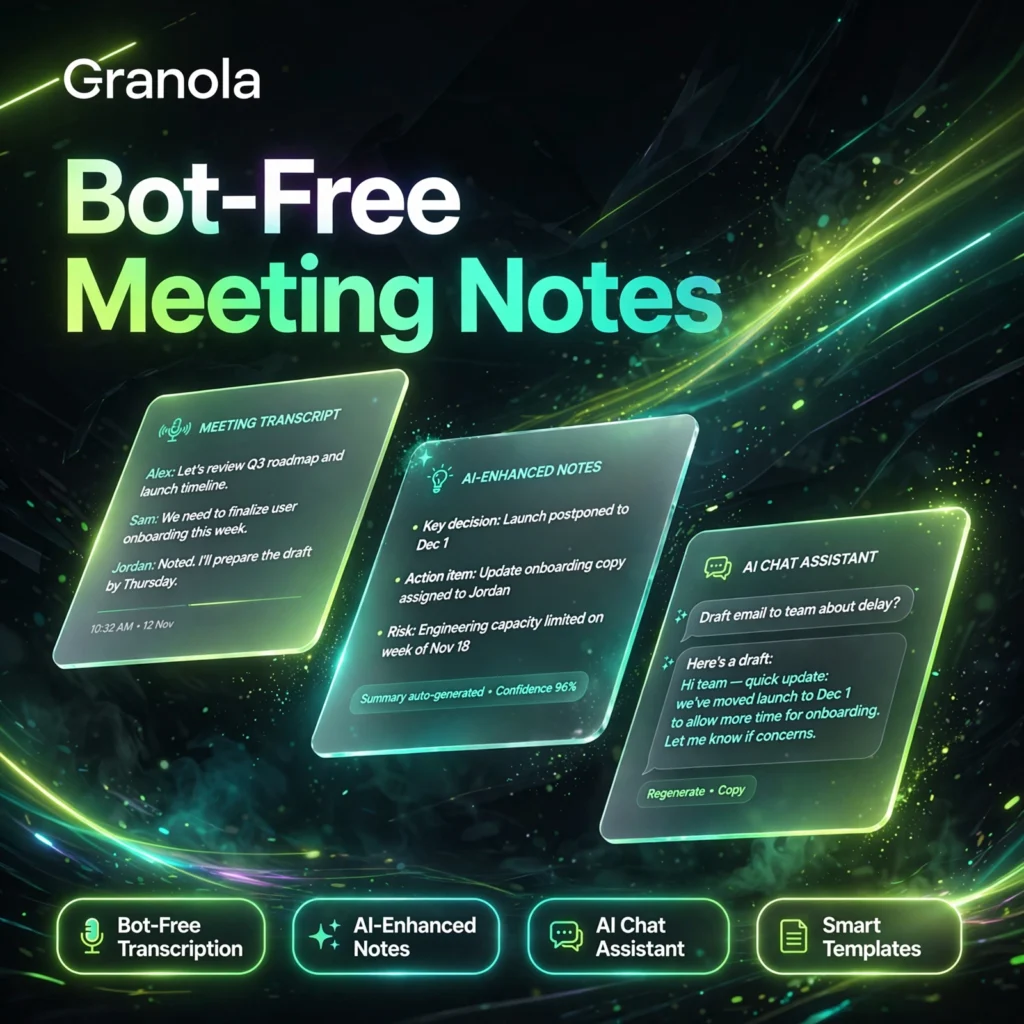
Meetings without the awkward bot guest. Granola is a bot-free AI notepad that listens from your own device, turns your rough notes into polished summaries, and helps busy teams capture decisions without changing how they meet.
What is Granola?
Granola is an AI meeting notepad for people in back-to-back calls. Unlike tools that send a visible bot into Zoom or Teams, Granola captures your microphone and system audio directly on your Mac, Windows PC or phone. You jot down rough notes during the call, and afterwards Granola enhances them using the transcript, producing clean, structured notes you can share in seconds.
It works with Zoom, Google Meet, Microsoft Teams, Webex, Slack huddles and in-person conversations, because it does not depend on any single platform. If you have compared it with a recorder-style tool like Otter.ai, Granola’s big difference is that human touch: your own notes guide what the AI emphasises.
Key Features of Granola
Here are the standout features that make Granola popular with founders, sales teams and recruiters:
- Bot-Free Transcription: No extra participant joins your call. Granola transcribes from your device audio, so meetings feel completely normal.
- AI-Enhanced Notes: Type rough bullet points during the call, then let AI expand them with context, decisions and action items from the transcript.
- AI Chat Assistant: Ask questions about a single meeting or across your whole meeting history and get answers with context in seconds.
- Smart Templates: Custom templates for sales calls, stand-ups, interviews, board updates and one-to-ones shape notes the way your team needs them.
- Recipes: Reusable prompts that turn notes into follow-up emails, briefs, tickets and summaries automatically.
- Shared Folders and Integrations: Organise notes in shared folders and send them to Notion, Slack, HubSpot, Attio, Affinity and Zapier on paid plans.
How to Use Granola
Getting started takes only a few minutes:
- Download and sign up: Install Granola on Mac, Windows or iPhone and create a free account — no credit card required.
- Connect your calendar: Granola detects upcoming meetings so you can start a note with one click.
- Jot rough notes: During the call, type keywords, names and decisions while Granola transcribes in the background.
- Enhance your notes: After the call, click Enhance to turn your rough notes into a structured summary.
- Share and act: Share the note, ask the AI chat follow-up questions, or push actions to your CRM and other tools.
Pro tip: Write down the moments that matter to you during the call. Granola treats your typed notes as a signal, so the final summary focuses on what you cared about, not just what was said loudest.
Granola Pricing Plans
Granola keeps pricing simple and transparent, with a genuinely useful free tier:
- Basic – Free: AI meeting notes for unlimited meetings, AI chat, shared folders, custom templates and multi-language support, with the most recent 30 days of meeting history visible.
- Business – $14/user/month: Unlimited notes and history, advanced AI models, integrations with Notion, Slack, HubSpot, Attio, Affinity and Zapier, plus MCP and API access and centralised billing.
- Enterprise – $35/user/month: Everything in Business plus SSO, SCIM provisioning, admin controls, org-wide auto-deletion, usage analytics, HIPAA-compliant workspaces and priority support.
For most professionals, Basic is enough to try the workflow, while Business is the sweet spot if you need long-term history and CRM integrations. It also compares well with alternatives such as Fireflies.ai and Fathom on price.
Pros and Cons of Granola
Pros:
- No meeting bot — discreet, natural capture from your own device
- Your rough notes shape the AI summary, so results feel personal and relevant
- Generous free plan with unlimited meetings and no credit card
- Works with any meeting platform, plus in-person conversations on mobile
- Simple, published pricing with strong integrations on Business
Cons:
- Free plan only shows the last 30 days of meeting history
- No stored audio or video recording to replay later
- You should still tell participants you are transcribing and follow local consent rules, as explained in general guidance on speech recognition
- Advanced integrations and unlimited history require the paid Business plan
Frequently Asked Questions
Is Granola free to use?
Yes. Granola’s Basic plan is free with no credit card required. It includes AI-enhanced notes for unlimited meetings, AI chat, templates and shared folders, with the most recent 30 days of meeting history visible.
Does Granola join my meetings as a bot?
No. Granola never joins a call as a participant. It captures audio from your own computer or phone, so it works with Zoom, Google Meet, Teams and any other platform without a bot appearing on screen.
How much does Granola Business cost?
Granola Business costs $14 per user per month. It adds unlimited meeting history, advanced AI models, integrations with Notion, Slack, HubSpot and Zapier, plus MCP and API access. Enterprise costs $35 per user per month.
Which platforms does Granola work on?
Granola has apps for macOS, Windows and iOS, with support for in-person meetings via the mobile app. Because it uses device audio, it works alongside Zoom, Google Meet, Microsoft Teams, Webex and other tools.