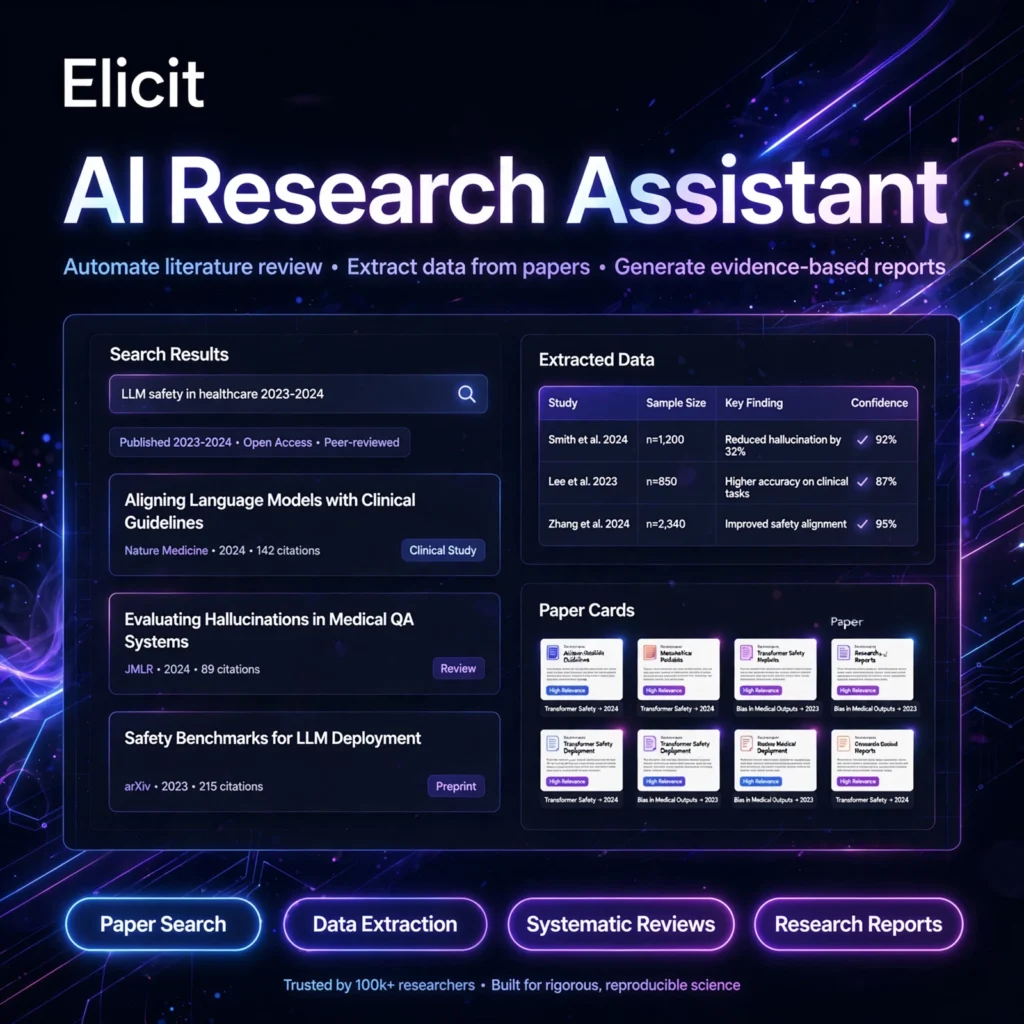
Reading hundreds of academic papers for one literature review can take weeks. Elicit is an AI research assistant that searches more than 138 million papers for you, extracts the key data into clean tables, and helps you finish evidence-based reviews in hours instead of days.
What is Elicit?
Elicit is an AI platform for scientific research built to automate the most time-consuming parts of a literature review. Instead of juggling keywords across multiple databases, you ask a plain-English research question and Elicit uses semantic search to find relevant studies, even when the papers use different terminology.
What sets Elicit apart from a general chatbot like Perplexity is its focus on real evidence: every answer is grounded in actual papers, with sentence-level citations and supporting quotes you can verify. More than two million researchers in academia and industry use it for systematic reviews, scoping reviews and evidence synthesis.
Key Features of Elicit
Here are the standout features that make Elicit a favourite for researchers:
- Semantic Paper Search: Search 138M+ academic papers and 545,000+ clinical trials using natural-language questions – no exact keywords needed.
- Structured Data Extraction: Add custom columns for methods, population, interventions or findings, and Elicit extracts the data from many papers into one comparison table.
- Systematic Review Workflow: Screen up to 5,000 papers on Pro with clear inclusion and exclusion criteria, with reasons shown for every decision.
- Research Reports: Generate structured, cited research briefs from your extracted table, inspired by systematic review methods.
- Chat with Papers: Ask questions across full-text PDFs and get answers linked to the exact source passages.
- Exports and Zotero: Import from Zotero and export tables to CSV, RIS and BibTeX on paid plans for easy reference management.
How to Use Elicit
Getting started with Elicit takes just a few minutes:
- Create a free account: Go to elicit.com and sign up for the free Basic plan.
- Ask your research question: Type a focused question in plain English, such as the effect of an intervention on a specific outcome.
- Review the results: Browse the ranked papers with one-sentence summaries and check relevance at a glance.
- Add extraction columns: Define the variables you need – sample size, method, results, limitations – and let Elicit fill the table.
- Screen and export: Apply your inclusion criteria, then export your table or generate a cited research report.
Pro tip: Pair Elicit with NotebookLM for note-taking and Jenni AI for writing up your findings once the evidence is gathered.
Elicit Pricing Plans
Elicit is freemium, with pricing that differs for academic and industry users – check the current plan for your audience before subscribing:
- Basic – Free: Unlimited paper search, summaries and Chat with Papers, 2 automated reports per month and 2 extraction columns.
- Plus – from around $10-12/month on annual billing: More reports and credits, extraction from more papers at once, extra columns and CSV/BibTeX exports.
- Pro – from $49/month: Dedicated systematic review workflow screening up to 5,000 papers, up to 20 columns, custom extractions and API access.
- Scale / Enterprise – Custom: Higher screening limits up to 40,000 papers, live collaboration, admin controls and SSO for teams and organisations.
The free plan is generous enough for exploration and small projects, while serious systematic reviews benefit most from Pro.
Pros and Cons of Elicit
Pros:
- Purpose-built for literature reviews, not a generic chatbot
- Every claim is traceable to a real paper with supporting quotes
- Extraction tables save hours of manual data copying
- Useful free plan with unlimited search and summaries
Cons:
- Best for empirical research – less useful for general web questions
- Advanced systematic review tools are locked behind Pro
- Extracted data should still be verified against the original papers
- May miss some relevant papers, so combine it with traditional databases
If you are new to this method, the systematic review approach Elicit follows is the gold standard for evidence synthesis in medicine and the social sciences.
Frequently Asked Questions
Is Elicit free to use?
Yes. Elicit’s Basic plan is free and includes unlimited paper searches, summaries and Chat with Papers, plus 2 automated reports per month. Paid plans add more reports, extraction columns, exports and systematic review tools.
How is Elicit different from ChatGPT?
Elicit searches a database of 138M+ real academic papers and links every answer to its source paper with supporting quotes. ChatGPT is a general-purpose assistant that answers from training data and can produce inaccurate citations, while Elicit is built specifically for evidence-based research.
Can Elicit do a systematic literature review?
Yes. Elicit’s Pro plan includes a dedicated systematic review workflow that can screen up to 5,000 papers using your inclusion and exclusion criteria, extract structured data into tables, and generate cited reports you can audit step by step.
How accurate is Elicit?
Elicit shows the supporting quote behind every extracted data point, so you can verify it against the original paper in one click. It performs strongly in extraction benchmarks, but you should always check critical data points yourself before publishing.