Staring at a blank page before a deadline? Jenni AI is an academic writing assistant built for students and researchers — it helps you draft essays, research papers and literature reviews with grounded suggestions and proper citations, instead of generic text. If you already use a general paraphrasing and writing tool for polishing, Jenni goes a step earlier and helps you actually write the paper.
What is Jenni AI?
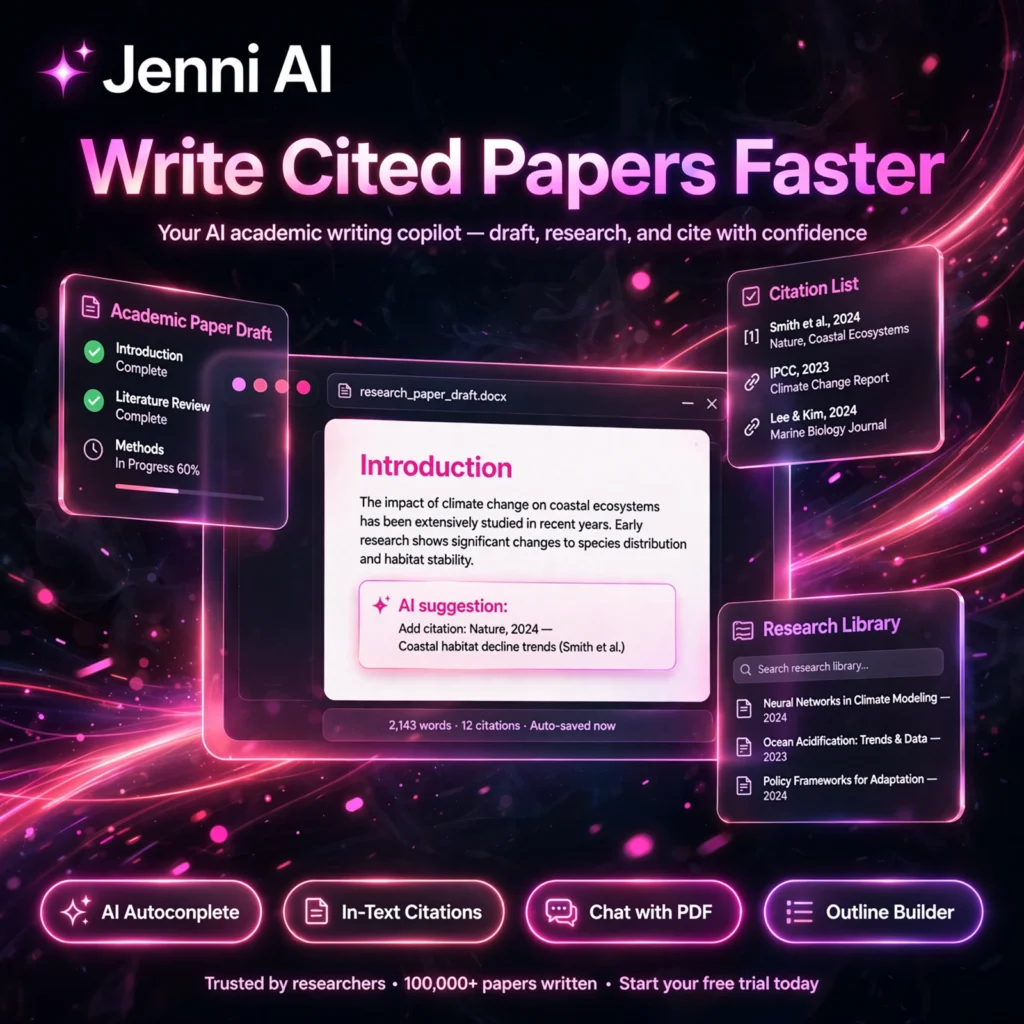
Jenni AI is a research-focused AI writing workspace used by millions of academics worldwide. You import your sources, write alongside smart autocomplete that suggests your next sentences, and insert verified in-text citations as you go. Unlike a general chatbot, Jenni treats sources, citations and evidence as the main point of the writing process.
It is designed to support academic writing rather than replace it — you stay in control, accept or reject every suggestion, and export a properly formatted document when you finish.
Key Features of Jenni AI
Here are the standout features that make Jenni popular with students and researchers:
- AI Autocomplete: Smart sentence-by-sentence suggestions grounded in real papers that continue your writing when you get stuck.
- In-Text Citations: One-click inline citations in 2,600+ styles including APA, MLA, Chicago, Harvard and IEEE, with automatic bibliographies.
- Research Library: Import PDFs or sync from Zotero and Mendeley, and search a library of 200M+ papers to build your source base in seconds.
- Chat with PDF: Ask questions about any uploaded paper, get explanations and summaries, and verify claims against the original source.
- Outline Builder: Turn a prompt or research question into structured headings and a full paper outline instantly.
- AI Chat and AI Edit: Rewrite, expand, shorten and improve sections, and get review-style feedback on your draft before submission.
- Flexible Export: Export finished work to .docx, LaTeX or HTML with citations and formatting intact.
Pricing
Jenni AI is freemium, so you can start free and upgrade when your writing volume grows:
- Free – $0: 10 AI autocompletes per day, limited AI edits, chat messages and reviews, PDF uploads and unlimited citations — ideal for trying it out.
- Plus – $12/month: 5,000 autocompletes per month, unlimited PDF uploads, 500 AI edits and 500 AI chat messages per month, 10 reviews per month and full document export.
- Pro – $29/month: Unlimited autocomplete, unlimited PDF uploads, AI edits and chat, unlimited reviews, full export and priority support for heavy writers.
- Teams and Institutions – Custom: Centralised administration, single invoicing, seat management and volume pricing for universities and research groups.
The free plan is enough to test the workflow on a short assignment, while Plus suits most students writing regular papers each semester.
How to Use Jenni AI
Getting from a blank page to a cited draft takes just a few steps:
- Create a free account: Go to jenni.ai and sign up — you can start writing in minutes.
- Import your sources: Drag in PDFs, import from Zotero or Mendeley, or search Jenni’s library of papers to build your research library.
- Generate an outline: Enter your topic or research question and let the outline builder create headings for your paper.
- Write with autocomplete: Start typing and accept, edit or reject Jenni’s cited sentence suggestions as you draft each section.
- Add citations and review: Insert in-text citations in your required style, run a review pass for feedback, then export to Word, LaTeX or HTML.
Pro tip: Build your library first. The better your sources, the more accurate and well-cited Jenni’s suggestions become. Writers who prefer fiction workflows may prefer a dedicated creative writing assistant, while Jenni is purpose-built for academic work.
Pros and Cons of Jenni AI
Pros:
- Purpose-built for academic writing, not a generic chatbot
- Citations grounded in real sources with 2,600+ styles
- Autocomplete, PDF chat, research library and editing in one workspace
- Useful free plan and simple, affordable paid tiers
Cons:
- Free plan limits are tight for long papers
- Best for academic writing — less suited to marketing or fiction copy
- Citations and AI suggestions still need checking against original sources
- Your institution’s AI-use policy may restrict how you can use it
For final polishing and grammar checks, many writers pair Jenni with Grammarly before submitting.
Frequently Asked Questions
Is Jenni AI free to use?
Yes. Jenni AI has a free plan with 10 AI autocompletes per day, limited AI edits, chat and reviews, plus PDF uploads and citations. Paid plans start at Plus for $12/month, with Pro at $29/month for unlimited use.
Does Jenni AI write your whole paper for you?
No. Jenni is designed as a writing assistant, not a replacement for your work. It suggests sentences, builds outlines and helps with citations and editing, but you review, accept or reject every suggestion and remain the author.
What citation styles does Jenni AI support?
Jenni supports 2,600+ citation styles, including APA, MLA, Chicago, Harvard and IEEE. You can insert in-text citations in one click and switch styles without reformatting your bibliography by hand.
Can Jenni AI read and summarise my PDFs?
Yes. You can upload PDFs to your research library, chat with them to get summaries and explanations, and verify Jenni’s suggestions against the original source before citing it in your paper.