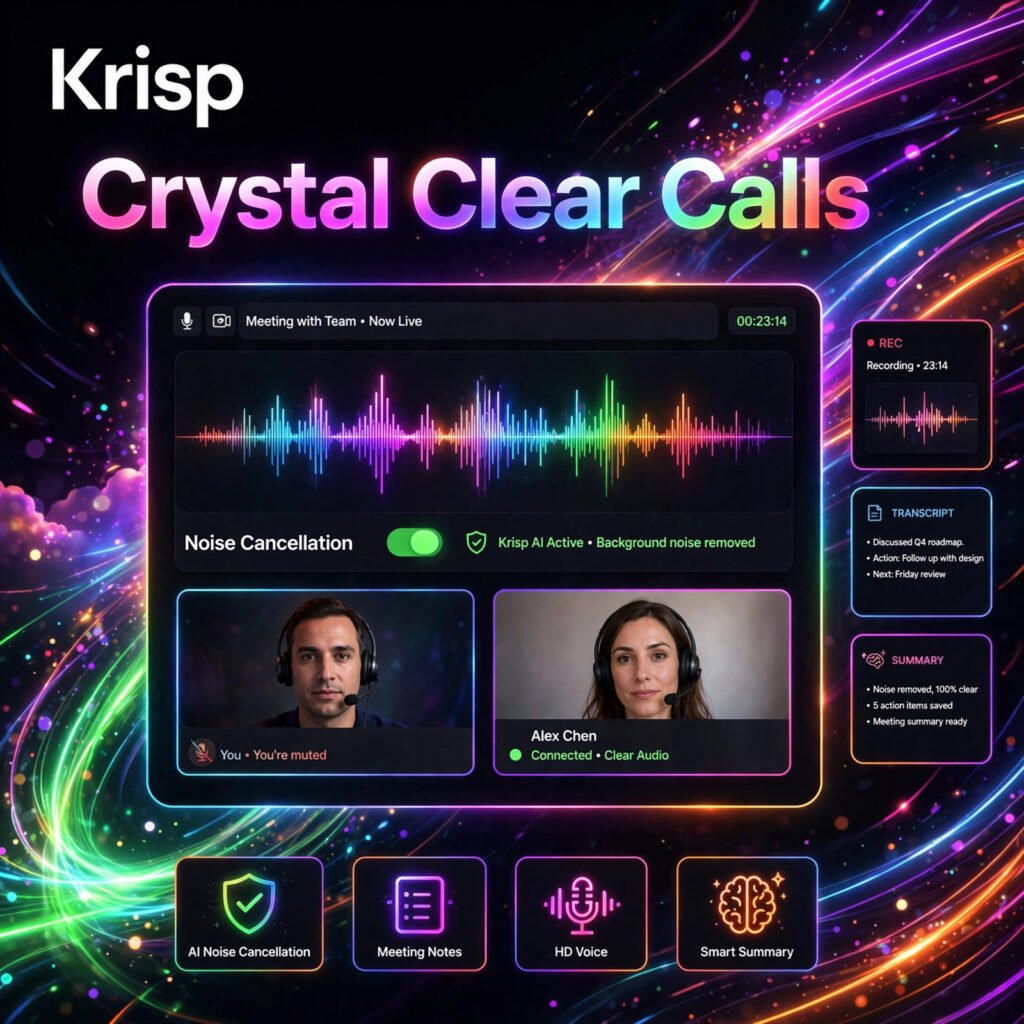
Tired of barking dogs, crying babies, and construction noise ruining your calls? Krisp is an AI-powered noise cancellation and meeting assistant that removes background noise, voices, and echo from both sides of your calls in real time — so you sound professional from anywhere.
What is Krisp?
Krisp is an AI noise cancellation app and meeting assistant founded in 2017. It sits between your microphone and your communication apps, using on-device AI to filter out everything except your voice. Krisp works with more than 800 apps including Zoom, Microsoft Teams, Google Meet, Slack, and Webex, and processes audio locally on your device for privacy.
Today Krisp is far more than a noise filter. It also records and transcribes meetings without a bot joining the call, generates AI notes and action items, and even offers real-time accent conversion. If you already use a meeting assistant like Otter.ai or Fireflies.ai, Krisp adds the one thing they lack — crystal-clear audio powered by noise cancellation technology.
Key Features of Krisp
Here are the features that make Krisp a favourite with remote workers and call teams:
- Two-Way Noise Cancellation: Removes background noise, background voices, and echo from both your microphone and the incoming audio, with over 40dB of noise reduction in real time.
- Bot-Free AI Note Taker: Records, transcribes, and summarises meetings by capturing audio at the system level — no visible bot joins your call.
- Transcription in 16+ Languages: Accurate transcripts with speaker detection, plus AI-generated summaries, action items, and an Ask Krisp chat to query your meeting content.
- Accent Conversion: Refines non-native English accents in real time for clearer cross-cultural communication, covering Indian, Filipino, Latin American, and other accents.
- Works With 800+ Apps: One install covers Zoom, Teams, Meet, Slack, Discord, and virtually any app that uses a microphone or speaker.
- Privacy-First Processing: Noise cancellation runs on-device, and Krisp is SOC 2 Type II, GDPR, and HIPAA compliant for professional and enterprise use.
- Mobile App and In-Person Recording: Record face-to-face conversations on your phone and get the same transcripts and AI notes as online meetings.
How to Use Krisp
You can sound studio-clear on your next call in a few simple steps:
- Download and install: Create a free account at krisp.ai and install the desktop app on Windows or Mac.
- Select Krisp devices: In your meeting app, choose Krisp Microphone and Krisp Speaker as your audio input and output.
- Turn on noise cancellation: Toggle on microphone and speaker noise cancellation in the Krisp widget before or during a call.
- Enable the AI Note Taker: Let Krisp record and transcribe the meeting automatically, then review the summary and action items afterwards.
- Share and integrate: Send notes to Slack, Notion, or your CRM, and use Zapier or webhooks to automate follow-ups.
Pro tip: Test your setup with Krisp’s built-in recording check before an important call — you will hear exactly how clean your voice sounds to everyone else.
Krisp Pricing Plans
Krisp offers a free trial and straightforward per-user pricing:
- Free Trial – $0: 7 days of full access with unlimited transcription, noise cancellation, recording, and AI notes, no credit card required. Afterwards a limited daily allowance applies.
- Core – $8/user/month (billed annually, $16 monthly): Unlimited noise cancellation, unlimited transcription and AI notes, bot-free meetings, mobile app, and 10GB storage.
- Advanced – $15/user/month (billed annually, $30 monthly): Everything in Core plus accent conversion, SSO/SCIM, CRM integrations like Salesforce and HubSpot, and 60GB storage.
- Enterprise – Custom: Unlimited storage, on-device transcription, signed HIPAA BAA, advanced security controls, and a dedicated account manager.
For most individuals and small teams, Core is the sweet spot — it bundles a noise canceller and a note taker for less than paying for both separately, and pairs well with editing tools like Descript for content work.
Pros and Cons of Krisp
Pros:
- Best-in-class two-way noise and echo cancellation
- Works with 800+ communication apps out of the box
- Bot-free transcription and AI meeting notes included
- Audio processed on-device for stronger privacy
- Simple setup — install once and forget it
Cons:
- Free use after the trial is limited to a small daily allowance
- Can use noticeable CPU on older machines
- Monthly billing costs double the annual rate
- Advanced CRM and admin features require higher plans
Frequently Asked Questions
Is Krisp free to use?
Krisp offers a 7-day free trial with full unlimited features and no credit card required. After the trial, a limited free allowance remains, while paid plans start at $8/user/month billed annually for unlimited use.
Does Krisp work with Zoom and Microsoft Teams?
Yes. Krisp works with Zoom, Microsoft Teams, Google Meet, Slack, Webex, Discord, and more than 800 other communication apps. You simply select Krisp as your microphone and speaker inside the app.
Is Krisp private and secure?
Yes. Krisp processes noise cancellation locally on your device, so your voice audio is not sent to the cloud for filtering. Krisp is SOC 2 Type II, GDPR, and HIPAA compliant, with on-device transcription available on Enterprise plans.
Can Krisp transcribe meetings without a bot?
Yes. Krisp captures audio at the system level on your own device, so it can record, transcribe, and summarise meetings without a bot joining the call. Transcription supports 16+ languages with AI notes and action items.