Need a studio-quality voiceover without hiring a voice actor or booking a recording studio? Murf AI turns any script into natural, human-like speech in minutes — making it one of the most popular AI voice generators for creators, educators, and businesses. It is a strong alternative to tools like ElevenLabs for polished, ready-to-publish narration.
What is Murf AI?
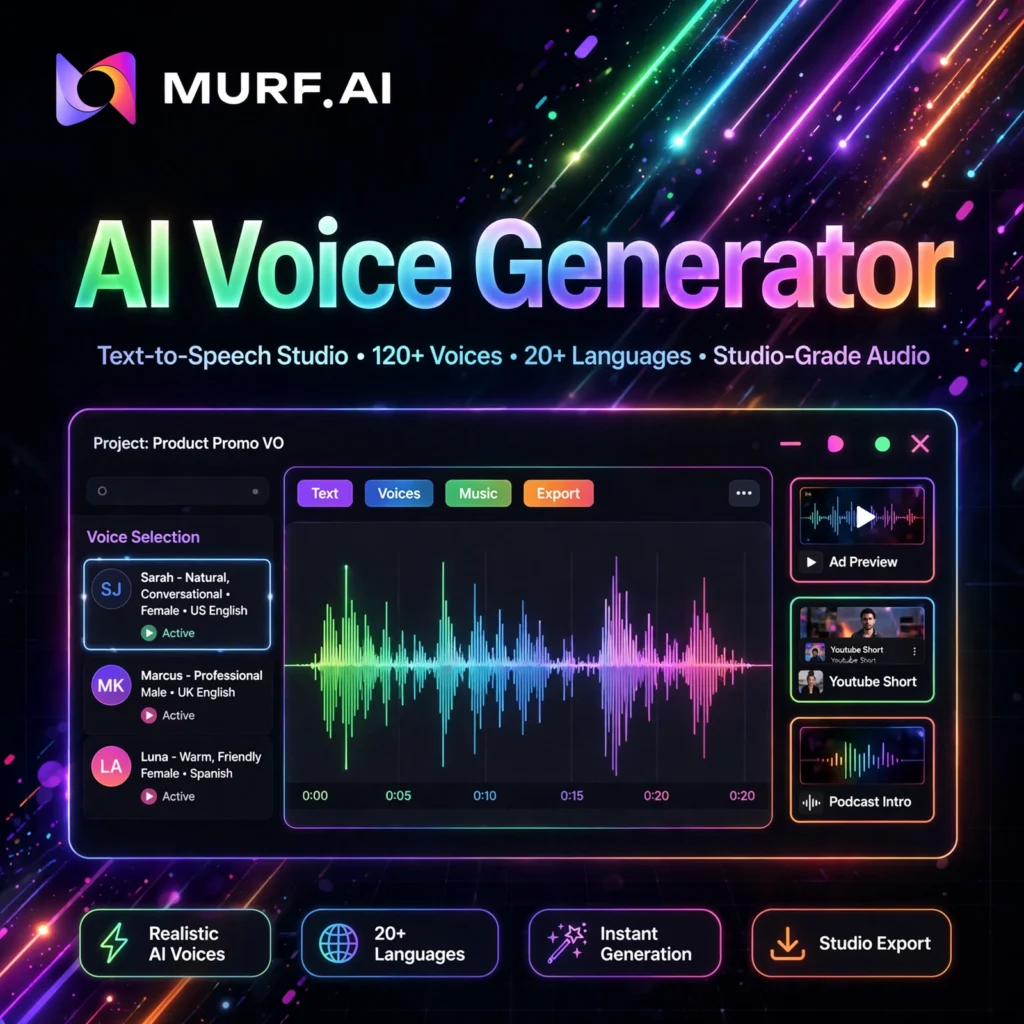
Murf AI is a cloud-based text-to-speech and voiceover studio. Instead of recording yourself, you type or paste a script, choose from more than 200 lifelike AI voices across 20+ languages, fine-tune the delivery, and export professional audio or video. Creators use Murf for YouTube videos, e-learning courses, explainer videos, podcasts, audiobooks, advertisements, and corporate training.
Unlike basic text-to-speech tools, Murf is a complete production studio: it combines voice generation, a built-in video editor, background music, AI dubbing, and collaboration tools in one browser-based workspace — similar in spirit to an all-in-one editor like Descript, but focused squarely on voice.
Key Features of Murf AI
Here are the standout features that make Murf AI a favourite for professional voiceovers:
- 200+ Lifelike AI Voices: Choose voices by language, accent, age, gender, and use case — narration, conversational, promotional, characters, and more.
- Fine Voice Control: Adjust pitch, speed, pauses, pronunciation, emphasis, and variability so lines sound expressive rather than robotic.
- AI Voice Cloning: Create a digital clone of your own voice and generate new narration without re-recording (available on higher tiers).
- AI Dubbing & Translation: Dub existing videos into other languages to reach global audiences much faster than manual re-recording.
- Built-in Studio Editor: Sync voiceovers with video, images, and presentations, and add from 8,000+ licensed background soundtracks.
- Voice Changer: Transform a rough home recording into a polished studio-style voiceover.
- Useful Integrations: Works with Canva, Google Slides, and PowerPoint, with API access for teams that need automation.
How to Use Murf AI
Getting your first voiceover out of Murf takes just a few minutes:
- Create a free account: Sign up on murf.ai and open Murf Studio — no downloads or recording equipment needed.
- Start a project: Pick a template for a video, podcast, audiobook, or presentation, or start from a blank project.
- Add your script: Type or paste your text into blocks; Murf automatically splits it into manageable sections.
- Choose and tune a voice: Preview voices, select the best fit, then adjust pitch, speed, emphasis, and pauses line by line.
- Add media and music: Upload video or slides, sync the narration, and drop in a licensed background track.
- Export and share: Download the audio or video, or share it with a link — paid plans include full commercial rights.
Pro tip: Write scripts the way people actually speak — short sentences and natural pauses produce far more realistic results than long, formal paragraphs. For avatar-led videos, many creators pair a Murf voiceover with a tool like HeyGen.
Murf AI Pricing Plans
Murf uses simple, time-based pricing based on hours of voice generation per year (annual billing shown):
- Free – $0: 10 minutes of voice generation to explore the studio and test voices. No downloads and no commercial rights.
- Creator – $19/month: 24 hours of voice generation per year, 200+ voices, unlimited downloads, 8,000+ soundtracks, and full commercial rights — ideal for solo creators.
- Business – $66/month: 96 hours of voice generation per year, advanced controls like emphasis and variability, team collaboration, and priority support.
- Enterprise – Custom: Unlimited generation, AI translation and dubbing, SSO and advanced security, dedicated support, and custom voice cloning options.
The free plan is only for testing. If you plan to publish or monetise your content, Creator is the real starting point because it unlocks downloads and commercial use.
Pros and Cons of Murf AI
Pros:
- Very natural voices with detailed control over delivery and emotion
- All-in-one studio: voice, video editing, music, and dubbing together
- Predictable pricing based on generation hours, not characters
- Commercial rights included on all paid plans
Cons:
- Free plan is very limited — no downloads or commercial rights
- Voice cloning and the best controls are locked to higher tiers
- Annual hour allowances can run out for very high-volume producers
Frequently Asked Questions
Is Murf AI free to use?
Yes, Murf has a free plan with 10 minutes of voice generation so you can test voices and the studio editor. However, the free plan does not allow downloads or commercial use — you need a paid plan such as Creator ($19/month) to publish your voiceovers.
How many voices and languages does Murf AI offer?
Murf offers 200+ AI voices in more than 20 languages and accents, covering styles for narration, e-learning, advertising, podcasts, and characters. Its AI dubbing feature can translate and dub videos into many additional languages.
Can I use Murf AI voiceovers commercially?
Yes — all paid plans include full commercial rights, so you can use Murf voiceovers in monetised YouTube videos, ads, courses, and client work. The free plan does not include commercial rights.
Does Murf AI offer voice cloning?
Yes. Murf can clone a voice from a recording so you can generate new narration in that same voice without recording again. Voice cloning is available on higher-tier and Enterprise plans, and Murf also offers a voice changer that upgrades rough recordings into studio-quality audio.