Staring at a sentence that almost works is a familiar frustration for students and writers alike. QuillBot is an AI paraphrasing and writing assistant that rewrites, summarises, and polishes your text in seconds — helping you say the same thing, only clearer and more naturally.
What is QuillBot?
QuillBot is a freemium AI writing platform best known for its paraphrasing tool. Founded in 2017, it has grown into a full writing suite with a grammar checker, summariser, plagiarism checker, citation generator, translator, and AI detector, used by students, researchers, ESL learners, and content creators worldwide.
Unlike a general chatbot, QuillBot focuses on improving text you already have. That makes it a useful companion to drafting tools such as Rytr or a final-polish checker like Grammarly: you draft in one place, then rewrite and refine in QuillBot before publishing.
Key Features of QuillBot
Here are the features that make QuillBot a staple for students and writers:
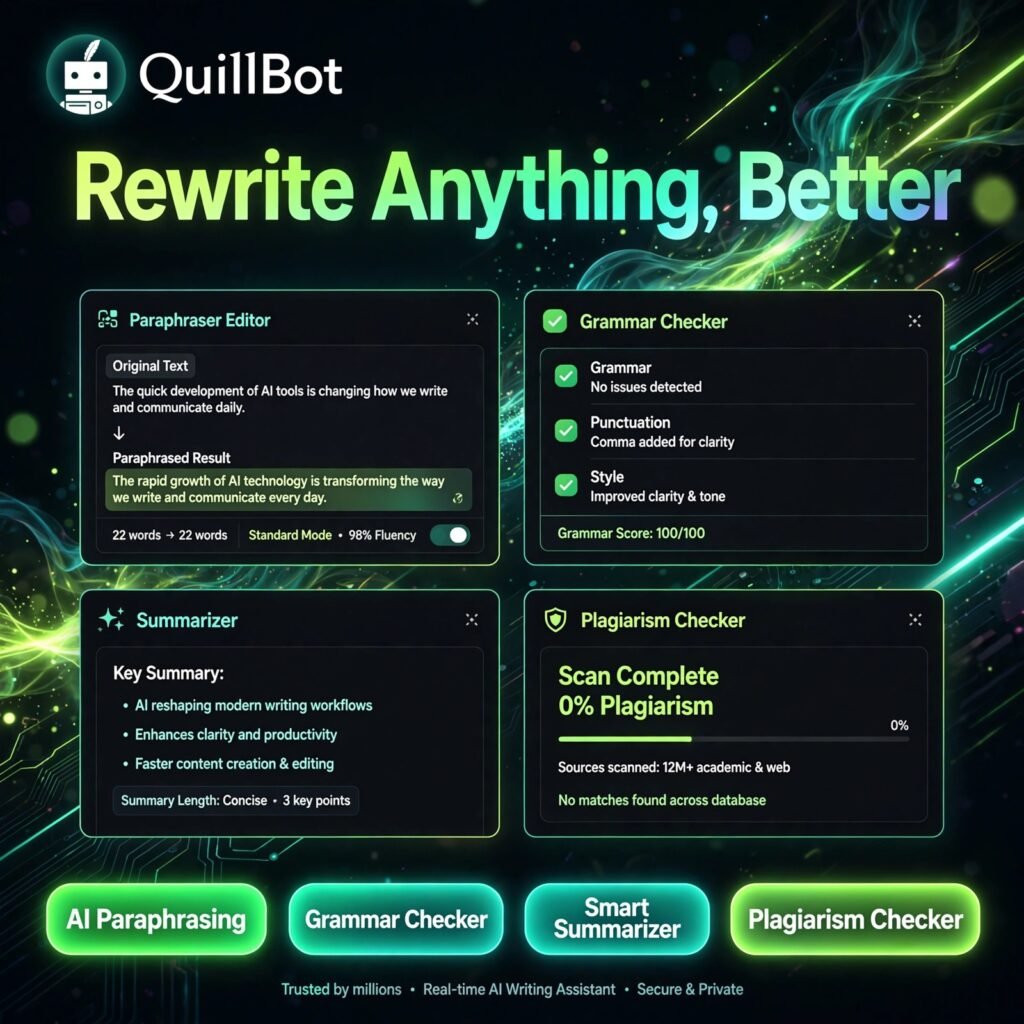
- AI Paraphraser: Rewrite text in multiple modes including Standard, Fluency, Formal, Simple, Creative, Expand, and Shorten, with a synonym slider to control how much the wording changes.
- Grammar Checker: Fix spelling, punctuation, and grammar mistakes instantly, with explanations that help you learn as you edit.
- Summariser: Condense long articles and documents into key sentences or a short paragraph, ideal for research and study notes.
- Plagiarism Checker: Premium users can scan text against billions of web pages and get a detailed originality report before submitting work.
- Citation Generator: Create accurate citations in APA, MLA, Chicago, and many other styles for essays and academic papers.
- Translator and AI Tools: Translate across 30+ languages, plus use the AI detector, humaniser, and AI chat tools built into the platform.
- Extensions and Integrations: Work directly in Chrome, Microsoft Word, and Google Docs so rewriting happens where you already write.
How to Use QuillBot
You can get your first rewrite in under a minute:
- Create a free account: Sign up at quillbot.com — no credit card is needed to start on the free plan.
- Paste your text: Open the Paraphraser and paste the paragraph or sentence you want to improve.
- Choose a mode: Pick Standard for a balanced rewrite, Fluency for natural flow, or Formal for academic and professional writing.
- Adjust the synonyms: Use the slider to decide how much vocabulary should change, then click Rephrase.
- Refine and check: Click any word for synonyms, run the result through the grammar and plagiarism checkers, then copy it out.
Pro tip: Responsible paraphrasing means rewriting ideas in your own structure and still citing the original source — use QuillBot to improve clarity, not to disguise copied work.
QuillBot Pricing Plans
QuillBot is freemium, so you can start for free and upgrade when the limits start to bite (check the official site for current figures, as prices can change):
- Free – $0: Paraphrase up to 125 words at a time in Standard and Fluency modes, summarise up to 1,200 words, and use basic grammar checking and limited AI tools.
- Premium – $19.95/month, or $8.33/month billed annually ($99.95/year): Unlimited paraphrasing, all modes including a custom mode, summariser up to 6,000 words, full plagiarism checker allowance, faster processing, and priority support.
- Team – per-seat annual pricing: Everything in Premium plus centralised billing, user management, and a shared style guide for schools and businesses.
For most regular writers the annual Premium plan is the best value, costing less per month than a single coffee while removing the word limits that slow down longer documents.
Pros and Cons of QuillBot
Pros:
- Best-in-class paraphrasing with multiple modes and a synonym control slider
- Generous free plan that covers quick rewrites and short summaries
- All-in-one suite: grammar, summariser, plagiarism, citations, and translation
- Very easy to learn, with handy Chrome, Word, and Docs integrations
Cons:
- Free plan’s 125-word paraphrasing limit is tight for long documents
- Plagiarism checker is locked behind Premium
- Rewrites still need a human review — tone and meaning can occasionally drift
Frequently Asked Questions
Is QuillBot free to use?
Yes. QuillBot has a free plan that lets you paraphrase up to 125 words at a time in Standard and Fluency modes, summarise up to 1,200 words, and use basic grammar checking, with no credit card required. Premium removes the limits.
What is QuillBot mainly used for?
QuillBot is mainly used for paraphrasing — rewriting sentences and paragraphs in different words and tones. Students, researchers, ESL learners, and writers also use its grammar checker, summariser, citation generator, and plagiarism checker.
How much does QuillBot Premium cost?
QuillBot Premium costs $19.95 per month on monthly billing, or $8.33 per month when billed annually at $99.95 per year. Premium unlocks unlimited paraphrasing, all writing modes, a longer summariser, and the plagiarism checker.
Is using QuillBot considered cheating?
Not when it is used properly. QuillBot is a writing aid for improving clarity and flow, like a grammar checker. Academic work should still be your own ideas, properly cited — using any paraphraser to disguise copied text without credit can breach academic integrity rules.