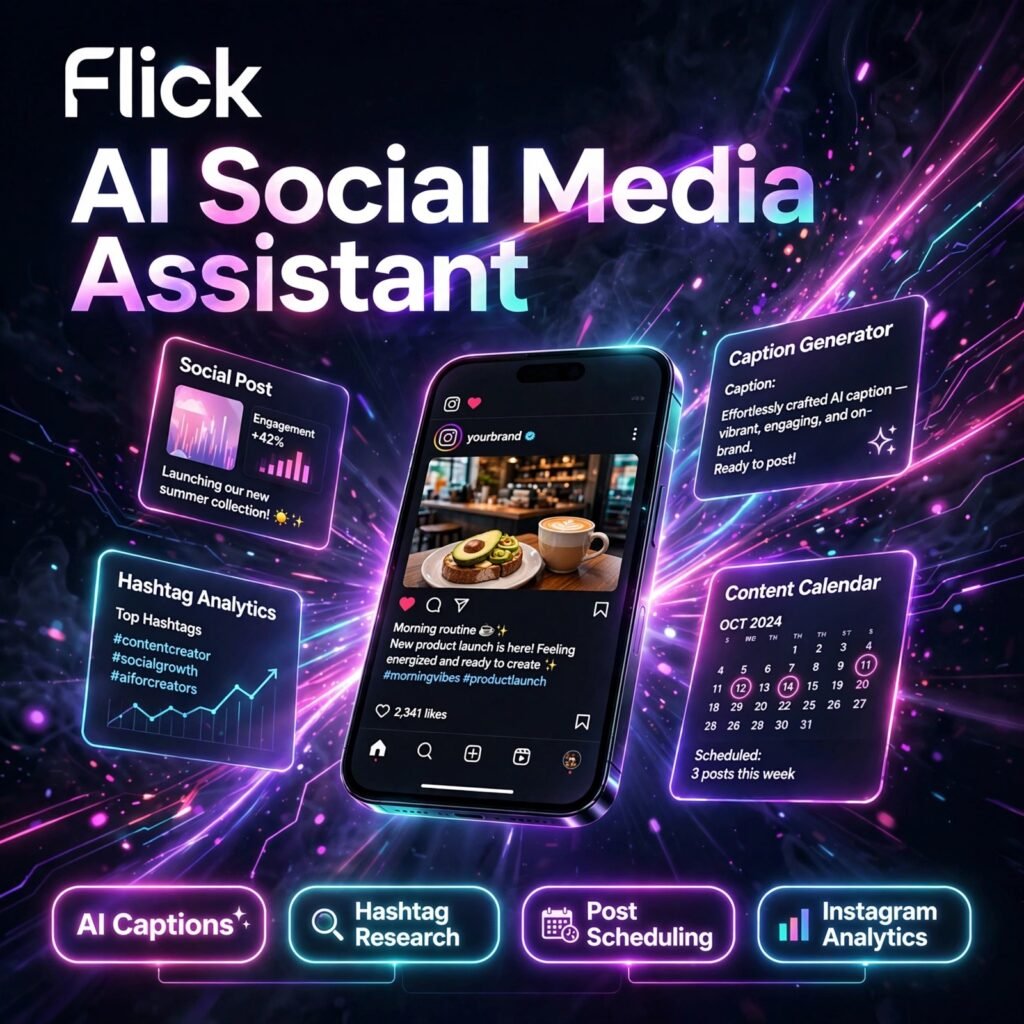
Staring at a blank caption box while your best posting time slips away is a familiar frustration for creators. Flick is an AI social media assistant that writes on-brand captions, finds high-performing hashtags, schedules posts and tracks Instagram analytics in one place, so your social media content stays consistent without eating your whole day.
Flick started life as a hashtag research tool and has grown into a full social media toolkit used by creators, small businesses and agencies. Its AI assistant learns your brand voice, while its hashtag and analytics tools focus heavily on helping Instagram posts reach more of the right people.
Key Features of Flick
Here is what makes Flick stand out for social media creators and marketers:
- AI Social Media Assistant: Generate captions, short-form posts, threads, scripts and content ideas that stay on brand, and repurpose existing content into fresh posts in seconds.
- Hashtag Search and Management: Search for relevant hashtags, check their performance, save them into collections and add a full set to a caption with one click.
- Post Scheduling: Plan and schedule posts for Instagram, Facebook, TikTok and LinkedIn from a visual content calendar, with best-time-to-post suggestions.
- Instagram Analytics and Reporting: Track reach, engagement and follower growth, benchmark against competitors and export clear reports that show what is working.
- Content Planner and Brand Hub: Store your brand information, plan a month of content in advance and keep ideas organised so you never run out of things to post.
- Mobile Apps: iOS and Android apps let you approve, edit and publish scheduled content on the go, alongside the web dashboard.
Flick Pricing Plans
Flick has no permanent free plan, but every paid plan starts with a 7-day free trial and you can cancel at any time. Prices below are billed yearly, with a 20% saving versus monthly billing:
- Solo – £11/month (billed yearly): 4 social profiles, 1 user login, schedule 30 posts per social profile per month and track 30 Instagram posts per month, with access to core features.
- Pro – £24/month (billed yearly): 8 social profiles, 2 user logins, unlimited scheduled posts, unlimited Instagram post tracking and access to all features.
- Agency – £55/month (billed yearly): 20 social profiles, 5 user logins, unlimited posts and tracking, and all features for teams managing multiple clients.
A limited version of Flick’s AI caption generator is free to try with a weekly word limit, but full scheduling, hashtag and analytics access requires a paid plan — so Flick is classed as a paid tool with a free trial. If you need a fully free starting point, compare it with Ocoya alternatives before committing.
How to Use Flick
You can go from signup to your first scheduled post in a few steps:
- Start the free trial: Sign up on the Flick website and start your 7-day trial — no long-term contract is required.
- Connect your accounts: Link your Instagram, Facebook, TikTok and LinkedIn profiles and add your brand details to the Brand Hub.
- Generate content with AI: Ask the AI assistant for caption ideas, pick a draft, refine the tone and let it suggest matching hashtags.
- Research hashtags: Use Hashtag Search to build saved collections for each content theme, checking size and competition before you post.
- Schedule and review: Drop posts into the calendar at the suggested best times, then check Analytics weekly to double down on top-performing formats.
Pro tip: Save separate hashtag collections for Reels, carousels and product posts instead of reusing one set everywhere — rotation keeps reach healthier. For background, see social media marketing fundamentals.
Pros and Cons of Flick
Pros:
- Best-in-class hashtag research, tracking and collection management
- AI assistant writes genuinely on-brand captions and ideas quickly
- Clean, easy-to-learn interface with a visual content calendar
- Strong Instagram analytics, benchmarks and exportable reports
- Official Meta partner with direct, reliable Instagram scheduling
Cons:
- No permanent free plan — only a 7-day trial and limited free caption tool
- Analytics are Instagram-focused; other platforms get shallower data
- AI mainly generates written content, not video or image editing
- Solo plan’s 30 posts per month can feel tight for daily posters
Frequently Asked Questions
Is Flick free to use?
No, Flick does not offer a permanent free plan. All plans include a 7-day free trial, and a limited AI caption generator is free with a weekly word limit. Paid plans start at £11/month billed yearly for Solo.
Which platforms does Flick support?
Flick supports scheduling for Instagram, Facebook, TikTok and LinkedIn. Its deepest features — hashtag research and detailed analytics — are built specifically around Instagram.
How does Flick’s hashtag tool work?
You search a keyword and Flick shows related hashtags with performance data. You can save the best ones into collections, track how they perform on your posts, and insert a whole collection into a caption with one click.
Is Flick good for agencies?
Yes. The Agency plan (£55/month billed yearly) includes 20 social profiles, 5 user logins, unlimited scheduling and reporting tools, making it practical for managing multiple client accounts in one place.