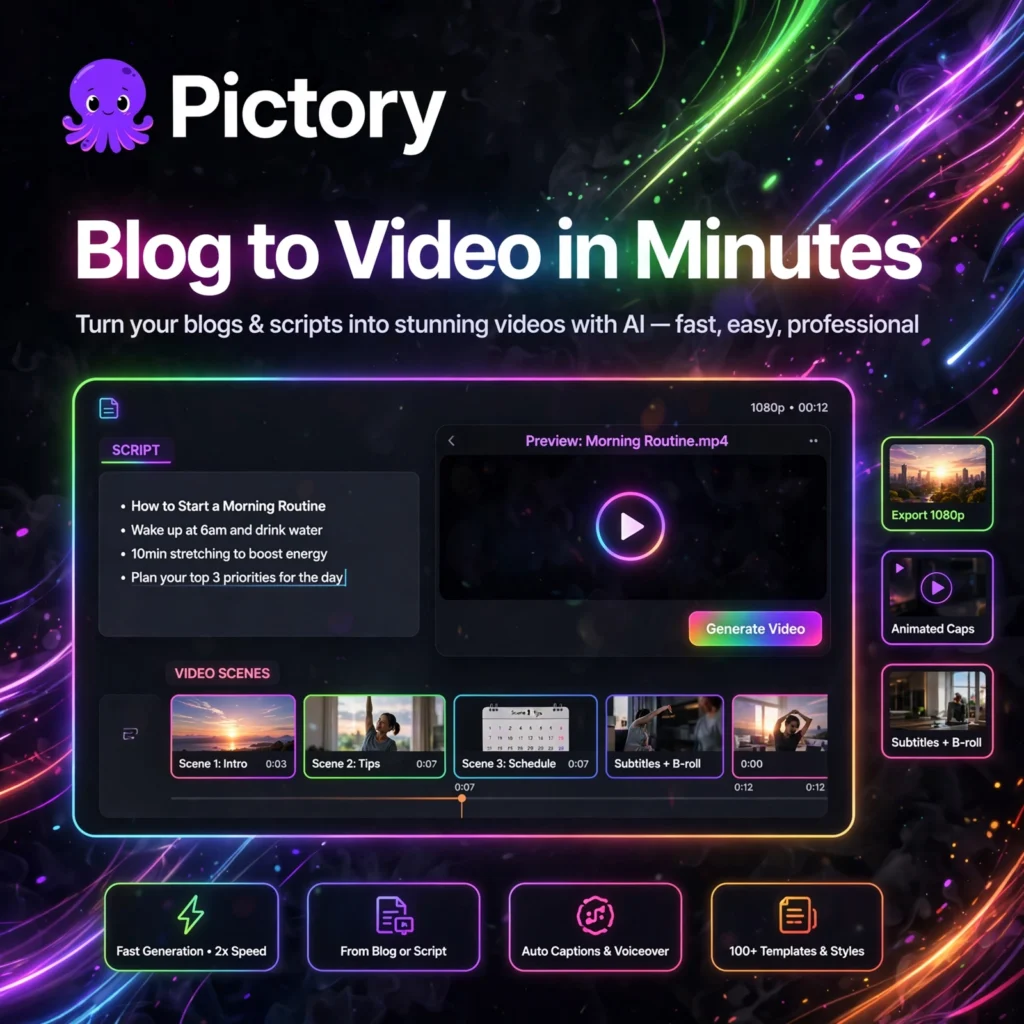
Turn one blog post into a ready-to-post video in minutes. Pictory is an AI video creator that converts scripts, articles and long recordings into polished short videos with stock footage, voiceover, captions and music — no camera or editing experience needed.
What is Pictory?
Pictory is a browser-based AI video creation and editing platform built for bloggers, YouTubers, marketers and course creators who want faceless video content at scale. Paste a blog URL or a script, and Pictory picks relevant visuals, adds narration and assembles an editable draft automatically.
Where tools like Runway focus on generating original clips, Pictory focuses on repurposing content you already have. It is also a close alternative to InVideo for script-driven videos, and pairs well with Fliki if you publish across several channels.
Key Features of Pictory
Here are the standout features that make Pictory popular with content teams:
- Blog and URL to Video: Paste an article link and Pictory summarises the text, selects matching visuals and builds a video from your existing written content.
- Script to Video: Paste any script and get a fully produced video with scenes, stock footage, background music and narration in minutes.
- Edit Video Using Text: Upload a recording and edit it by deleting words from the auto-generated transcript — filler words and silences can be removed in a few clicks.
- AI Highlights: Automatically finds the most engaging moments in webinars, podcasts and long videos and turns them into short clips for social media.
- Auto Captions and Subtitles: Generates accurate captions automatically, helping videos perform better on muted social feeds and improving accessibility.
- Millions of Stock Assets and AI Voices: Access a large library of royalty-free clips and images, plus natural AI voiceovers, with premium ElevenLabs voices on higher plans.
- Brand Kits: Save your logo, colours and fonts so every video stays on-brand without manual styling each time.
Pictory Pricing Plans
Pictory has no free-forever plan, but it offers a free trial so you can test the workflow first. Paid plans are billed by video minutes and AI credits:
- Free Trial – $0: 3 video projects with all core features and no credit card required. Exports are watermarked, so it is for testing only.
- Starter – $25/month billed annually ($29 monthly): Around 200 video minutes per month, Storyblocks stock library, standard AI voices and 1 brand kit for solo creators.
- Professional – $35/month billed annually ($59 monthly): Around 600 video minutes, Getty and Storyblocks libraries, ElevenLabs voices, auto highlights and 5 brand kits for active creators and marketers.
- Teams – $119/month billed annually: Around 1,800 video minutes, 3+ users, collaboration tools, API access, 10 brand kits and priority support for agencies.
- Enterprise – Custom: Custom limits, hosting and dedicated support for large organisations with high-volume video needs.
Because there is only a trial and no free tier, Pictory is listed under Paid AI Tools. Always check the official pricing page, as minutes and credit allowances change.
How to Use Pictory
You can create your first Pictory video in a few simple steps:
- Start the free trial: Go to pictory.ai and sign up — everything runs in your browser, with no software to install.
- Choose a workflow: Pick Script to Video, Article to Video, Edit Videos Using Text, or Visuals to Video from the dashboard.
- Add your content: Paste your script or blog URL, or upload a long recording if you want highlights and captions.
- Pick a template and style: Choose a template, aspect ratio for YouTube or social media, and apply your brand kit.
- Review and edit scenes: Let the AI build the draft, then swap clips, adjust captions, change the voiceover and tweak music scene by scene.
- Preview and export: Preview the full video, export it, and publish it to YouTube, TikTok, Instagram or your website.
Pro tip: Shorten long articles before converting them — a tight 3 to 5 minute script usually produces a much stronger video than a direct copy of a long post.
Pros and Cons of Pictory
Pros:
- Excellent for repurposing blogs, scripts and webinars into video
- Very beginner-friendly — no timeline editing skills required
- Text-based editing and auto captions save hours on long recordings
- Huge stock library and realistic voice options on paid plans
Cons:
- No free-forever plan — only a watermarked trial with 3 projects
- Stock footage can occasionally feel generic for niche topics
- Limited advanced editing and no built-in AI avatars
- Monthly video minutes do not suit occasional, one-off users
Frequently Asked Questions
Is Pictory free to use?
No, Pictory does not have a free-forever plan. It offers a free trial with 3 video projects and watermarked exports, with no credit card required. Paid plans start with Starter at $25/month billed annually.
Can Pictory turn a blog post into a video?
Yes. Paste your blog post URL and Pictory will summarise the article, select matching stock visuals, add a voiceover and music, and produce an editable video you can refine before exporting.
Does Pictory add captions automatically?
Yes. Pictory auto-generates captions and subtitles for your videos, which helps with accessibility and with viewers who watch social videos with the sound off. You can edit the caption text before exporting.
Can I use Pictory videos commercially?
Yes, videos created on paid plans can be used commercially for marketing, YouTube and client work, using the stock media licences included in your plan. Trial exports carry a watermark, so upgrade before publishing.