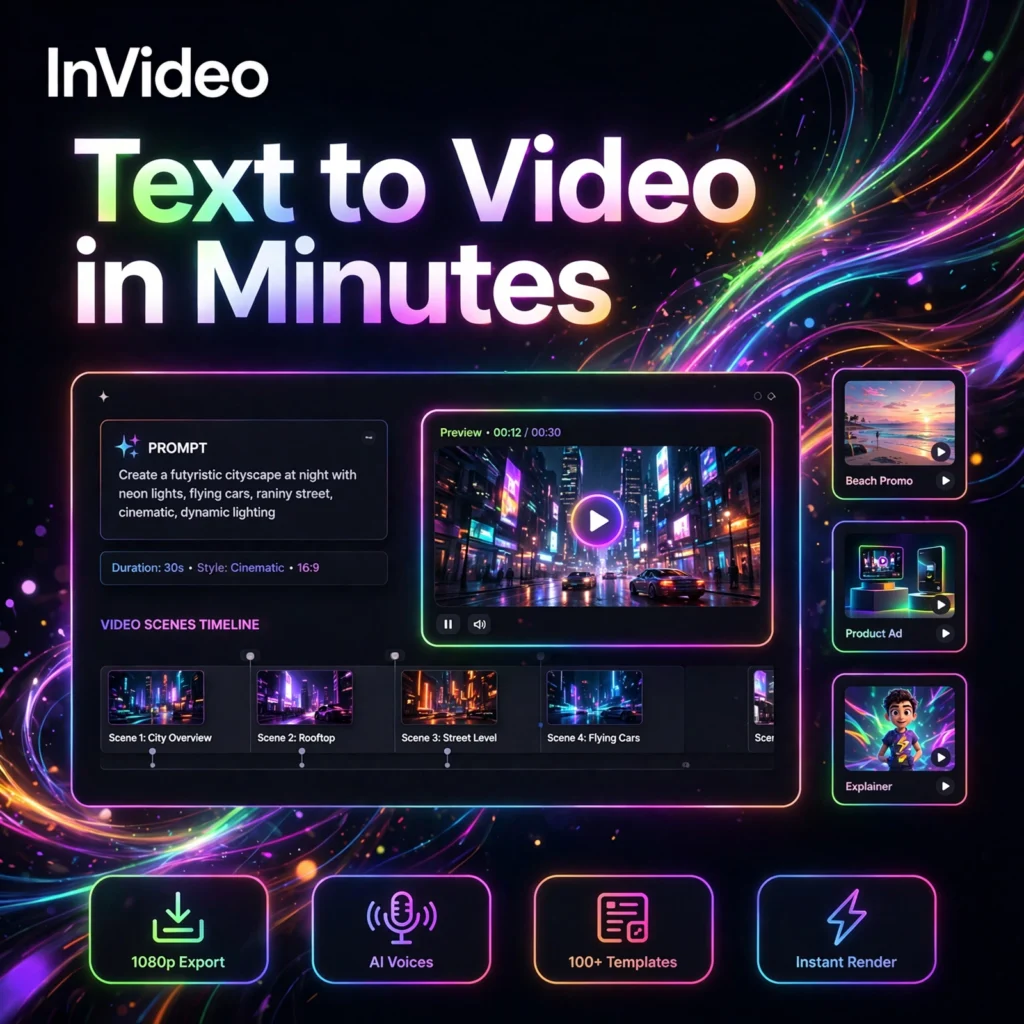
Describe a video in one sentence and watch it appear. InVideo is an AI video generator and editor that turns a simple text prompt into a complete video with script, visuals, voiceover, captions and music — no camera, actors or editing skills needed.
What is InVideo?
InVideo is a browser-based AI video creation platform used by creators, marketers and businesses to produce YouTube videos, Shorts, Reels, ads and explainer videos. You type an idea, and its AI agent writes the script, selects or generates visuals, adds a voiceover and assembles everything into an editable draft.
Unlike clip generators like Runway, InVideo focuses on complete, publish-ready videos in one subscription.
Key Features of InVideo
Here are the standout features that make InVideo popular with creators and marketing teams:
- Prompt-to-Video Agent: Type a topic, brief or full script and InVideo generates a complete video — script, scenes, visuals, voiceover, captions and music — in minutes.
- 200+ AI Models in One Place: Paid plans include access to leading video, image and audio models, so you can generate custom shots instead of relying only on stock footage.
- Magic Box Text Editing: Edit your video by typing plain commands such as “change the voice”, “make it shorter” or “delete scene 3” — no timeline skills required.
- 16M+ Stock Media Library: Millions of royalty-free stock clips, images and music tracks, including premium iStock assets on paid plans, auto-matched to your script.
- AI Voiceovers and Voice Cloning: Natural voiceovers in 50+ languages, plus the ability to clone your own voice from a short sample on paid plans.
- AI Avatars and Actors: Create a digital twin of yourself or use ready-made AI actors to present your videos without ever filming.
If you mainly need short script-driven clips, compare InVideo with Fliki, while avatar-led presenter videos are also a strength of HeyGen.
InVideo Pricing Plans
InVideo uses a credit-based subscription model. Credits are spent on AI generation, and unused credits do not roll over:
- Free – $0: Limited AI video minutes each week, watermarked exports at 720p and limited stock media. No credit card required — best for testing the workflow.
- Plus – $25/month (less billed yearly): No watermark, more AI minutes and credits, premium iStock assets, voice clones and AI avatars for solo creators.
- Max – $60/month (less billed yearly): Much higher credit and AI-minute allowances, more voice clones and avatars, more storage and premium stock access for heavy creators.
- Generative / Elite – Custom tiers: Large credit bundles for teams and power users who generate AI video at scale, with the highest storage and avatar limits.
Because InVideo has a free tier, it is listed under Free AI Tools. Check the official site for current credit amounts, as plans change often.
How to Use InVideo
You can create your first InVideo video in a few simple steps:
- Create a free account: Go to invideo.io and sign up with email, Google or Apple — everything runs in your browser.
- Pick a workflow: Choose a format such as YouTube Explainer, YouTube Shorts or Script to Video from the dashboard.
- Write a detailed prompt: Describe your topic, target audience, tone, platform and length, for example “a 2-minute explainer about home workouts for beginners”.
- Review the AI draft: InVideo generates the script, scenes, voiceover and music. Read through the script and check the visuals scene by scene.
- Edit with the Magic Box: Type simple commands to change the voice, swap footage, adjust captions or remove scenes, or fine-tune manually in the editor.
- Export and publish: Export your finished video and upload it to YouTube, TikTok, Instagram or your ad platform.
Pro tip: The more specific your first prompt — audience, tone, length and style — the fewer regeneration rounds you will need, which saves credits.
Pros and Cons of InVideo
Pros:
- Complete videos from a single prompt — script, visuals, voice and music included
- Access to 200+ AI models and a 16M+ stock library in one subscription
- Beginner-friendly Magic Box editing with plain text commands
- Free plan available with no credit card required
Cons:
- Credit system can be confusing, and premium models burn credits quickly
- Unused credits do not roll over to the next month
- Stock-based scenes can look generic unless you add custom or generated media
- The AI does not always follow detailed prompts perfectly on the first attempt
Frequently Asked Questions
Is InVideo free to use?
Yes. InVideo has a free plan with limited AI video minutes each week and watermarked 720p exports, with no credit card required. Paid plans start with Plus and remove the watermark while adding more credits, premium stock media, voice clones and avatars.
Can InVideo turn a script into a video?
Yes. Paste your own script or just a topic idea and InVideo will structure it into scenes, add a voiceover, match visuals and music, and produce an editable draft you can refine with text commands before exporting.
Does InVideo support voiceovers in other languages?
Yes. InVideo offers AI voiceovers in 50+ languages and accents, and paid plans include voice cloning, so you can narrate videos in your own voice for audiences in different markets.
Can I use InVideo videos commercially?
Yes, videos exported on paid plans can be used commercially for marketing, ads and client work, and paid plans include premium stock media licences. Free-plan exports carry a watermark, so upgrade before publishing commercial content.