


Here’s a hard truth: most professionals spend over half their workday on meetings, emails, and “urgent” interruptions – and still go home feeling like they got nothing done.
If that sounds familiar, the problem isn’t your work ethic. It’s your system – or the lack of one.
You don’t need to work longer hours. You need better techniques.
In this guide, you’ll find 10 practical, proven time management techniques designed specifically for busy professionals – managers, freelancers, remote workers, and anyone juggling too many priorities at once.
Why “Busy” and “Productive” Aren’t the Same Thing
Being busy means your calendar is full. Being productive means your time is spent on things that actually matter.
Professionals often confuse the two. You can spend 9 hours “working” – replying to messages, sitting in meetings, jumping between tabs – and still not move a single important project forward.
The fix isn’t more hours. It’s better prioritization, structure, and focus. That’s exactly what these 10 techniques are designed to give you.
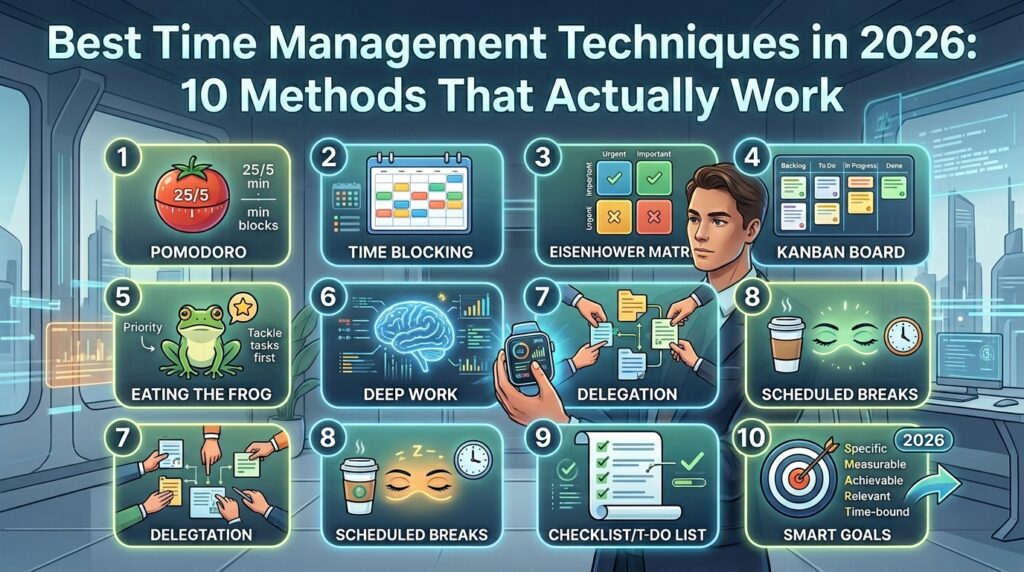
10 Time Management Techniques for Busy Professionals
1. Eisenhower Matrix – Sort What Actually Matters
Not every task on your list deserves your attention right now. The Eisenhower Matrix sorts your tasks into 4 simple categories based on urgency and importance.
| Quadrant | Category | Action | Example |
|---|---|---|---|
| Q1 | Urgent + Important | Do it now | Client deadline today |
| Q2 | Important + Not Urgent | Schedule it | Strategic planning, training |
| Q3 | Urgent + Not Important | Delegate it | Routine emails, status updates |
| Q4 | Not Urgent + Not Important | Delete it | Unnecessary meetings, social media |
When to use it: Every morning, before you start working. Spend 5 minutes sorting your task list before touching anything.
Want the full breakdown? Read our complete guide to the Eisenhower Matrix.
2. Time Blocking – Take Control of Your Calendar
Instead of working from an open-ended to-do list, time blocking assigns every task a specific slot on your calendar. If it’s not on the calendar, it doesn’t happen.
How to do it:
- Plan tomorrow’s blocks tonight, not in the morning
- Give your most important task (your MIT) the first block of the day
- Group similar tasks together – all emails, all calls, all admin work
- Add 10-15 minute buffer blocks between meetings
- Review and adjust the schedule at the end of each day
When to use it: If your day constantly gets hijacked by other people’s priorities, time blocking protects your time before anyone else can claim it.
For a complete walkthrough, check out how to plan your day for maximum productivity.
3. The Pomodoro Technique – Short Bursts of Deep Focus
Created by Francesco Cirillo in the 1980s, the Pomodoro Technique breaks work into focused 25-minute sessions followed by short breaks.
How it works:
- Pick one task
- Set a timer for 25 minutes and work with zero distractions
- Take a 5-minute break when the timer rings
- After 4 sessions, take a longer 15-30 minute break
Pro tip: Put your phone in another room during each session. A single notification can break your focus for the next 20 minutes.
New to this method? Read our complete beginner’s guide to the Pomodoro Technique.
4. Task Batching – Stop Switching, Start Grouping
Every time you switch between different types of tasks, your brain pays a “switching cost” – it takes time to refocus. Task batching groups similar work together to eliminate this cost.
How to apply it:
- Check and respond to emails at 2-3 set times per day, not constantly
- Batch all your calls into one block
- Group creative work separately from administrative work
Pro tip: Even 30 minutes of dedicated “inbox time” twice a day is more effective than checking email every 10 minutes throughout the day.
5. The Two-Minute Rule
If a task takes less than two minutes – replying to a quick message, filing a document, scheduling a meeting – do it immediately instead of adding it to your list.
Why it works: Small tasks pile up fast. Left unchecked, they create a backlog that feels overwhelming even though none of the individual tasks are hard.
6. Set a Daily MIT (Most Important Task)
Each morning – or the night before – identify the ONE task that, if completed, would make the biggest difference to your day. Do it first, before email, before meetings, before anything else.
Pro tip: Write your MIT on a sticky note and place it where you’ll see it first thing. A visible reminder keeps you accountable.
7. Limit and Structure Your Meetings
Meetings are one of the biggest time-killers for professionals. Most meetings run longer than necessary simply because there’s no defined end time or agenda.
How to fix it:
- Default to 25 or 50-minute meetings instead of 30 or 60
- Always send an agenda beforehand
- Ask: “Does this need to be a meeting, or can it be an email?”
8. Build in Buffer Time
Back-to-back scheduling looks efficient on paper, but one delay – a long call, a slow commute, an urgent question – throws off everything after it.
Fix: Leave 10-15 minute gaps between meetings and tasks. This buffer absorbs small delays before they cascade into your entire day.
9. End-of-Day Shutdown Routine
A consistent shutdown routine creates a clear boundary between work and personal time – and sets you up for a better tomorrow.
A simple 10-minute shutdown routine:
- Review what you completed today
- Note what’s still pending
- Plan tomorrow’s top 3 priorities
- Close your laptop – fully
10. Weekly Review
This technique ties everything together. Once a week – Friday afternoon or Sunday evening – take 15 minutes to reflect: What worked? What didn’t? What needs to change next week?
Game changer: Professionals who do a weekly review consistently report feeling more in control and less reactive – even in the same busy role.
To make sure you’re avoiding the most common pitfalls along the way, see our guide on common time management mistakes and how to avoid them.
How to Start Using These Techniques Today
Trying to implement all 10 techniques at once will overwhelm you – and you’ll likely drop all of them within a week.
Instead, start with this simple combination:
- Today: Pick your MIT for tomorrow before you finish work
- This week: Try the Eisenhower Matrix each morning to sort your task list
- Next week: Add time blocking once the first two feel natural
- Ongoing: Build small productive habits into your routine – see daily habits that save you hours every week
Frequently Asked Questions
What is the best time management technique for busy professionals?
There’s no single “best” technique – it depends on your role. If your day is full of meetings, time blocking helps most. If you struggle with focus, the Pomodoro Technique is a great starting point. Most professionals benefit from combining the Eisenhower Matrix with time blocking.
How do I manage time when everything feels urgent?
This is exactly the problem the Eisenhower Matrix solves. Many “urgent” tasks aren’t actually important – they just feel pressing in the moment. Sorting tasks before reacting to them prevents you from spending your day on the wrong things.
How long does it take to see results from these techniques?
Most professionals notice a difference within the first week, especially with simple techniques like the MIT method. Building a full system – combining multiple techniques – typically takes 4-6 weeks of consistent practice.
Conclusion: Small Changes, Big Results
Time management isn’t about cramming more into your day – it’s about making sure the right things get done, with less stress along the way.
Do this one thing today: Before you finish work, write down tomorrow’s MIT. That single habit is often the first domino that leads to everything else falling into place.
















2 thoughts on “10 Effective Time Management Techniques for Busy Professionals (2026 Guide)”
Pingback: The Pomodoro Technique A Complete Beginner Guide (2026)
yes sure