
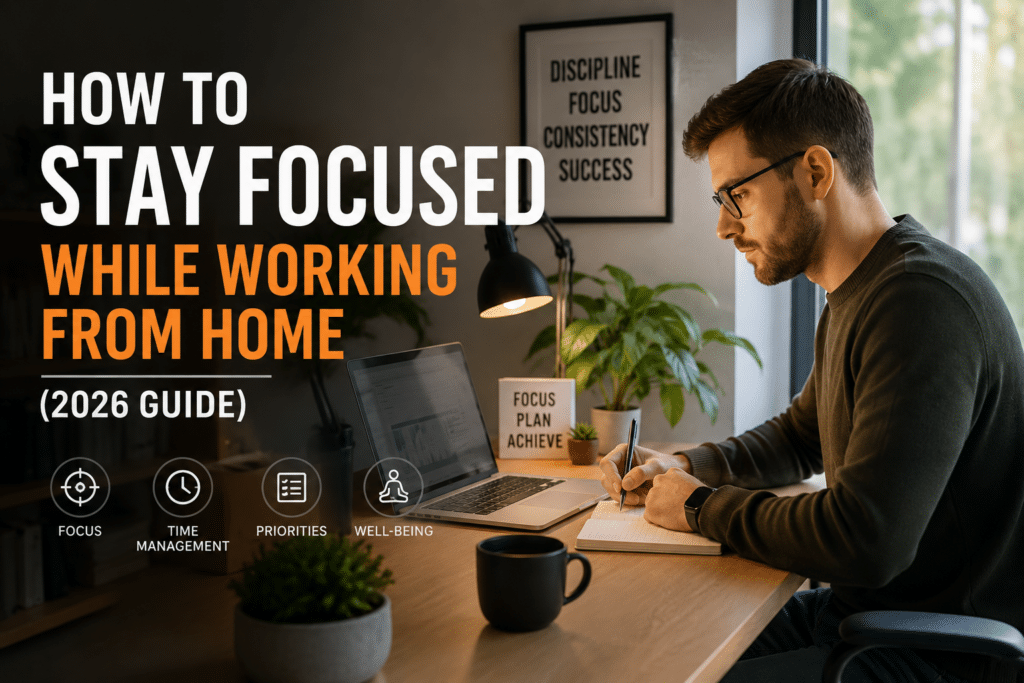
Working from home sounds simple: no commute, your own space, and full control over your schedule. So why does it sometimes feel harder to focus than it ever did in an office?
The truth is, remote work removes a lot of natural structure – the physical separation between “home” and “work,” the social pressure of being seen working, and the built-in routine of commuting and office hours. Without that structure, it’s easy for focus to slip.
In this guide, you’ll learn practical, realistic strategies to stay focused while working from home – covering your environment, schedule, habits, and mindset – so remote work can actually deliver the productivity benefits it promises.
Why Focus Is Harder When Working from Home
Understanding why focus slips at home makes it much easier to fix. A few key factors are at play:
1. Lack of physical separation. In an office, walking into the building signals “work mode.” At home, your workspace might be the same room where you relax, eat, or sleep – making it harder for your brain to switch contexts.
2. Constant access to distractions. Household chores, family members, pets, the kitchen, and personal devices are all immediately accessible – and each represents a potential interruption that simply doesn’t exist in a traditional office.
3. Fewer social cues. In an office, seeing colleagues working creates a subtle social pressure to stay on task. At home, that visual cue disappears, and it’s easier to drift toward “I’ll just do this one quick thing” moments that add up.
4. Blurred boundaries between work and personal time. Without a commute or a clear “leaving the office” moment, work can bleed into personal time – and personal tasks can bleed into work time – making both feel less defined.
The good news: each of these factors can be addressed with practical strategies, which we’ll cover below.
Setting Up a Focus-Friendly Environment
Create a Dedicated Workspace
If possible, designate a specific area solely for work – even if it’s just a corner of a room or a particular chair at a table. The goal is consistency: when you’re in that space, you’re working; when you leave it, you’re not. This physical separation helps recreate the “switching” cue that a commute used to provide.
Minimize Visual Clutter
A workspace cluttered with household items, mail, or unrelated objects creates constant small distractions. Keep your workspace as clear as possible, with only what you need for the task at hand.
Control Noise Levels
Background noise affects people differently – some find complete silence ideal, while others focus better with ambient sound or music. Headphones can help in both directions: blocking out household noise, or providing consistent background sound that masks distractions.
Get Dressed for Work
It might seem trivial, but many remote workers find that getting dressed – even casually – helps create a mental distinction between “home mode” and “work mode,” similar to how a uniform or office attire signals a shift in context.
Building Structure Into Your Day
Keep Consistent Work Hours
Without a commute forcing a start and end time, work can sprawl across the entire day – starting late, pausing for chores, then continuing into the evening. Setting consistent start and end times, even if flexible, gives your day a predictable rhythm.
Replace Your Commute With a Transition Ritual
A commute, despite its downsides, gave many people a mental transition between “home” and “work” – and back again. Replacing it with a short ritual (a walk, making coffee, a few minutes of planning) can help signal the start and end of your workday, even without leaving the house.
Use Time Blocks for Different Types of Work
Dedicate specific blocks of time to specific types of work – deep focus work, meetings, communication, and admin tasks. This prevents your day from becoming a constant, unstructured mix of everything, which makes it much harder to settle into focus for any single task.
The Pomodoro Technique works particularly well for remote work, since it provides built-in structure even on days that otherwise feel formless.
Plan Your Day the Night Before or First Thing
Without colleagues physically nearby to set the pace, it’s easy for a remote workday to drift without a clear plan. A quick daily plan – even just identifying your top 1-3 priorities – gives your day direction from the start.
Managing Common Home Distractions
Household Chores
The temptation to “quickly” do laundry, dishes, or tidy up during work hours is one of the most common remote work distractions. While these tasks feel productive, they pull time and focus away from work – and often expand to take longer than planned.
Strategy: Schedule specific times for household tasks – during breaks, lunch, or after work hours – rather than weaving them into work time. If a task is truly urgent, treat it the same way you would an unexpected interruption at an office: handle it briefly, then return to work.
Family Members and Housemates
If you share your home with others, interruptions from family members, roommates, or children are common – especially if your work-from-home status isn’t clearly communicated.
Strategy: Set clear expectations about your work hours and availability. A simple visual signal – a closed door, a sign, or headphones – can help communicate “I’m focused right now” without needing a conversation every time.
Pets
Pets don’t understand work schedules, and their needs (or simply their desire for attention) can interrupt focus throughout the day.
Strategy: Build short pet-care breaks into your schedule – a quick walk or play session during a scheduled break – so their needs are met without constantly interrupting focused work blocks.
Digital Habits for Remote Focus
Separate Work and Personal Accounts
Using the same browser, device, or accounts for both work and personal activities makes it easy to drift from one to the other. Where possible, use separate browser profiles, devices, or at least separate tabs/windows for work versus personal activities.
Turn Off Non-Work Notifications During Focus Time
Personal messages, social media notifications, and entertainment apps are all immediately accessible at home. Turning these off during focused work blocks removes a major source of “just checking” distractions.
Use App Blockers if Needed
If certain apps or websites are particularly tempting, tools like Forest can block access during scheduled focus periods – removing the option to get distracted rather than relying on willpower alone.
Setting Boundaries With Others
Communicate Your Schedule Clearly
Whether it’s coworkers, clients, family, or housemates, clearly communicating your working hours and availability reduces the number of “quick questions” that interrupt focused time. This includes setting expectations about response times for messages.
Protect Focus Time on Your Calendar
If your calendar is visible to colleagues, blocking out focus time explicitly (even labeling it “focus time” or “deep work”) can reduce the likelihood of meetings being scheduled during your most productive hours.
Set an End-of-Day Boundary
Without a commute marking the end of the workday, work can quietly extend into evenings. A clear end-of-day ritual – shutting down your computer, a short walk, or simply leaving your workspace – helps signal that work is done for the day.
Common Mistakes Remote Workers Make
Mistake #1: Working From Bed or the Couch
Working from spaces strongly associated with rest makes it harder for your brain to switch into focus mode – and can also negatively affect your sleep, since your brain begins associating those spaces with work-related stress.
Mistake #2: Never Taking Breaks
Some remote workers, especially those worried about appearing unproductive, skip breaks entirely. This often backfires, leading to fatigue and reduced focus later in the day. Scheduled breaks are just as important when working from home as in an office.
Mistake #3: Letting Work Bleed Into All Hours
Without clear boundaries, “I’ll just finish this one thing” can turn into working through evenings and weekends. Over time, this leads to burnout, which affects focus and productivity far more than the occasional unfinished task would.
Mistake #4: Isolating Completely
While distractions from others can be a challenge, complete isolation can also reduce motivation and focus over time. Occasional check-ins with colleagues, even informal ones, can help maintain a sense of structure and accountability.
Frequently Asked Questions
What’s the single most effective change for remote focus?
For most people, having a dedicated workspace combined with consistent work hours makes the biggest difference. Together, these recreate much of the structure that a traditional office naturally provided.
How do I deal with family interruptions if I don’t have a separate room?
Even without a separate room, a visual signal – like headphones, a specific chair, or a small sign – can communicate “focused time” to others in your household. Combining this with clearly communicated work hours helps set expectations even in shared spaces.
Is it okay to take breaks throughout the day when working from home?
Yes – breaks are just as important (if not more so) when working from home. Real breaks, away from screens, help prevent the mental fatigue that builds up during long, unstructured work sessions.
How do I avoid working too much when my home is also my office?
Set a clear end-of-day ritual, such as shutting down your computer and physically leaving your workspace, even if it’s just to another room. Communicating your work hours to others (and to yourself) also helps create a mental “end” to the workday.
What if my work hours need to be flexible?
Flexibility and structure aren’t opposites. Even with flexible hours, having a rough daily plan – including a defined start, a few focused blocks, and an end-of-day routine – provides structure without requiring a rigid schedule.
Why is it harder to focus when working from home?
Focus is harder at home because of the lack of physical separation between work and rest spaces, constant access to distractions like chores and devices, fewer social cues that signal “work mode,” and blurred boundaries between work and personal time.
Should I get dressed for work even when working from home?
Yes, many remote workers find that getting dressed, even casually, helps create a mental distinction between “home mode” and “work mode,” similar to how office attire signals a shift in context.
How can I replace my commute when working from home?
A short transition ritual, such as a walk, making coffee, or a few minutes of planning, can replace the mental “switch” that a commute used to provide, helping signal the start and end of your workday.
What should I do about household chores tempting me during work hours?
Schedule specific times for household tasks during breaks, lunch, or after work hours rather than weaving them into work time, since chores often expand to take longer than planned and pull focus away from work.
Do app blockers actually help with remote work focus?
Yes, app blockers like Forest can prevent access to distracting apps and websites during scheduled focus periods, removing the option to get distracted rather than relying on willpower alone.
Conclusion: Recreate Structure, Reclaim Focus
Staying focused while working from home isn’t about willpower – it’s about recreating the structure that a traditional office naturally provided, in a way that fits your home life. A dedicated space, consistent hours, clear boundaries, and a few supporting habits can make remote work just as focused as – or more focused than – working in an office.
Here’s a quick recap of the key strategies:
- Environment: Dedicated workspace, minimal clutter, controlled noise, getting dressed for work
- Schedule: Consistent hours, a transition ritual, time blocks, daily planning
- Distractions: Schedule chores separately, set expectations with others, plan pet care
- Digital habits: Separate accounts, reduce notifications, use app blockers if needed
- Boundaries: Communicate your schedule, protect focus time, set an end-of-day ritual
Do this one thing today: Pick one consistent signal – a location, an outfit, or a short ritual – that marks the start of your workday, and use it tomorrow morning.