Need a professional voiceover without booking a studio or hiring voice talent? Play.ht is an AI voice generator that turns written text into ultra-realistic speech in seconds — a favourite of podcasters, audiobook creators, and video producers who need natural-sounding narration at scale.
What is Play.ht?
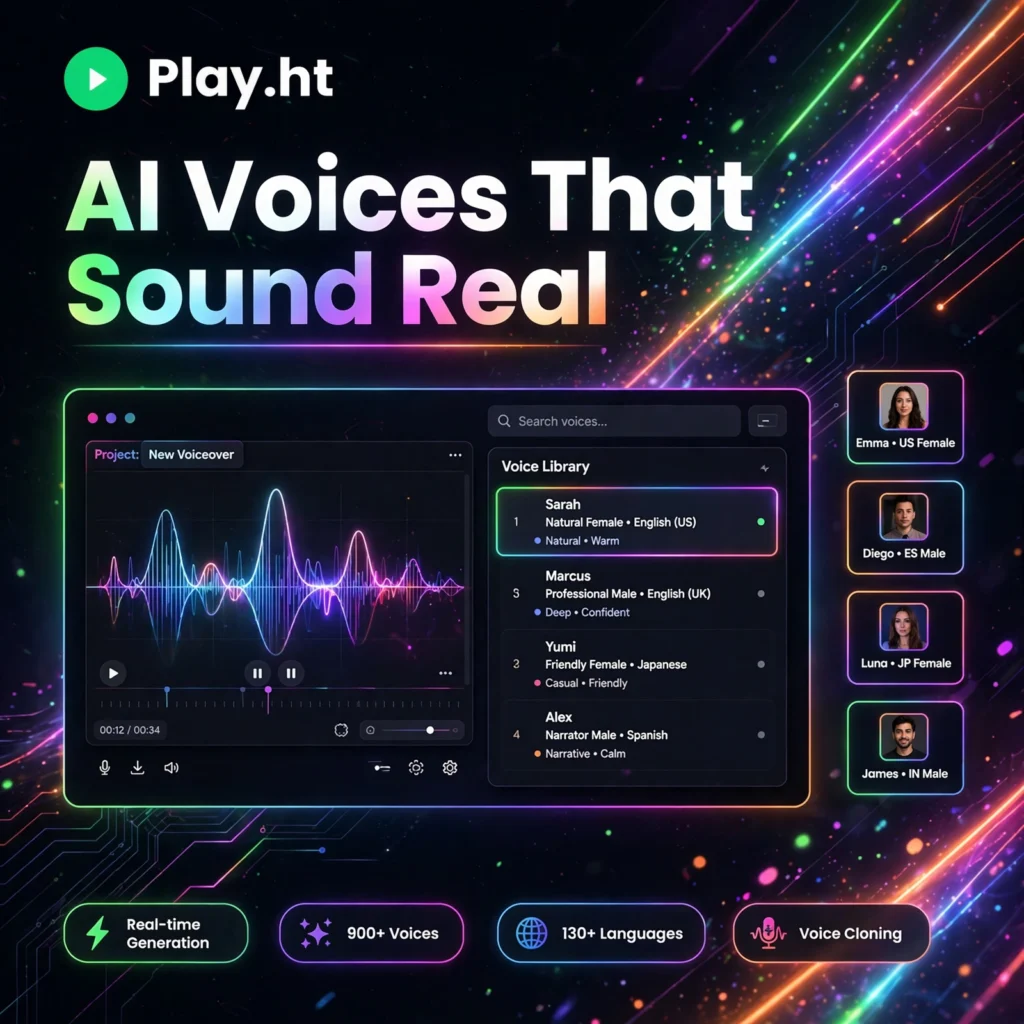
Play.ht is an AI text-to-speech platform built around a large library of human-like voices. Where older speech synthesis sounded robotic, Play.ht uses modern neural voice models that capture tone, pacing, and emotion, so the finished audio is hard to distinguish from a real recording.
Creators use it for podcasts, audiobooks, training videos, e-learning courses, YouTube narration, and IVR phone systems. If you have compared voice tools like ElevenLabs or Murf AI, Play.ht stands out for its huge voice library, fast voice cloning, and a generous unlimited-style plan for high-volume producers.
Key Features of Play.ht
Here are the features that make Play.ht a serious production tool:
- 800+ AI Voices: A massive library of male, female, and character voices across ages, accents, and speaking styles.
- 142+ Languages: Generate speech in more than 142 languages and regional accents, ideal for localising content for global audiences.
- Voice Cloning: Clone your own voice from a short recording and narrate new content in your voice without re-recording.
- Multi-Voice Conversations: Assign different voices to different lines and build natural multi-speaker dialogue for podcasts and audiobooks in a single project.
- Custom Pronunciations & Emphasis: Teach the editor how names, brands, and technical terms should sound, and control pauses, speed, and emphasis.
- API & Integrations: A developer API, WordPress support, and RSS distribution make it easy to automate voice generation and publish audio to podcast platforms.
- MP3 & WAV Export: Download finished audio in production-ready formats for editing in tools like Descript or any video editor.
How to Use Play.ht
Your first voiceover takes only a few minutes:
- Create a free account: Sign up at play.ht and open the text-to-speech studio.
- Paste or import your script: Type your text, paste an article, or import a document directly into the editor.
- Pick a voice and language: Browse the voice library, preview styles, and choose the voice that fits your project.
- Fine-tune the delivery: Adjust speed, add pauses, set custom pronunciations, and use multiple voices for dialogue scenes.
- Generate and download: Preview the audio, regenerate any lines you want to improve, then export as MP3 or WAV.
Pro tip: Break long scripts into short paragraphs and generate them one at a time — shorter passages give you finer control over pacing and make edits much easier later.
Play.ht Pricing Plans
Play.ht offers a free entry point and paid plans that scale with your output:
- Free – $0: Test the voices with a small character allowance (around 5,000 characters); attribution is required on free audio.
- Creator – $31.20/month (billed annually): For solo creators — commercial rights, no attribution, and a monthly character allowance for regular podcast and video work.
- Unlimited – $49/month: Built for high-volume producers who generate audio daily and do not want to count characters.
- Premium – Custom: For teams and businesses with enterprise volume, API-heavy workflows, and advanced support needs.
If you publish audio every week, the Unlimited plan is usually the sweet spot — it removes the per-character maths entirely.
Pros and Cons of Play.ht
Pros:
- One of the largest voice libraries available — 800+ voices in 142+ languages
- Fast, convincing voice cloning from short samples
- Multi-voice dialogue is perfect for podcasts and audiobooks
- Unlimited plan suits heavy, daily production
- API access for developers building voice into apps
Cons:
- Free plan is small and requires attribution
- Entry paid plan costs more than some rivals
- Very technical scripts may need manual pronunciation fixes
- The best voices and cloning features sit behind paid tiers
Frequently Asked Questions
Is Play.ht free to use?
Yes, Play.ht has a free plan that lets you test its AI voices with a small character allowance of roughly 5,000 characters. Free audio requires attribution, and paid plans start at $31.20/month for commercial use without attribution.
How many voices and languages does Play.ht have?
Play.ht offers more than 800 AI voices across 142+ languages and accents, covering narration, conversational, character, and commercial styles for podcasts, audiobooks, videos, and e-learning.
Can I clone my own voice with Play.ht?
Yes. Play.ht includes voice cloning that can recreate your voice from a short recording sample. You can then generate new scripts in your own voice, and even clone across languages on supported plans.
Can I use Play.ht audio commercially?
Yes, paid plans include commercial rights, so you can monetise podcasts, audiobooks, ads, and videos made with Play.ht voices. The free plan requires attribution and is meant for testing rather than commercial publishing.